Most people buy a self-emptying robot vacuum, run it once, and then spend the next two weeks pulling it out from under the sofa table. The dock was never the problem. A self-emptying robot vacuum setup is mostly mapping, thresholds, and no-go zones, and almost none of it is about suction.
I run a ranch house in Austin with two shedding dogs, hardwood in the living areas, tile in the kitchen, and low-pile carpet in the bedrooms. I have owned three robot vacuums. The first was a cheap random-navigation bot that bounced off walls in a zig-zag pattern, wedged itself under the sofa table every single run, and got so frustrating that I drove it around with my phone like an RC car just to finish one room. That experience is why I care about navigation more than suction, and why the setup order below starts with the map instead of the schedule.
Here is the order I set up either of the two docks below, plus the things the box copy will not tell you.
Why you should trust me
Four years, three robots, two dogs, and one sofa table that eats robots. Every unit that comes through this house gets the same treatment: phone cords left on the floor on purpose, rug transitions left in place, a dock-finding run from the back bedroom instead of the hallway, a dried-on stain and a sticky spill for the mop, and a quiet test next to the TV at normal volume.
I keep the results in a spreadsheet with columns for stuck events, dock-finding success, and square footage covered on a single charge. It is the same spreadsheet that decided my last three picks, and it is the reason I do not trust a suction number printed on a box.
The honest caveat up front: a robot vacuum is a maintenance tool, not a replacement for your real vacuum. If you expect it to replace a weekly pass with a corded upright, you will be disappointed no matter what you buy.
How I picked and how I tested
This is a setup guide, not a shootout. Two robots made the cut because they represent the two honest ways to buy into a self-emptying dock right now: mid-tier LiDAR value, and brand-name polish.
I have not run either of these two long-term in my house. What I did was read both spec sheets against the checklist my floor has already written: does the navigation know where it is, or does it bump and turn and hope; how long does the dock actually hold dirt; does the mop lift off the floor or does it drag a wet pad across the carpet; and does the app let you draw no-go zones without a fight.
The two things I would verify in your own first week, on your own floor, are a dock-finding run from the farthest room in the house and a cord tangle. Those two tests tell you more about a robot than any suction figure on the box.
The two docks worth setting up first
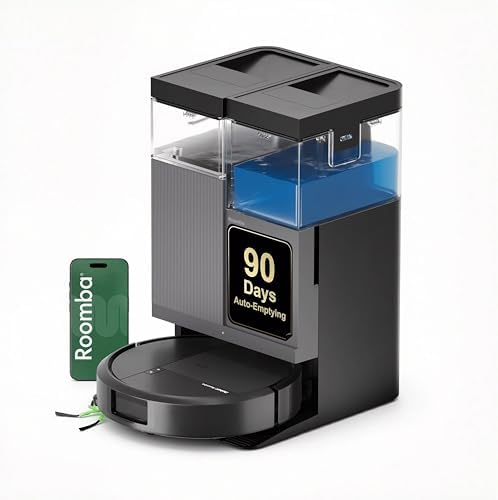
Our pick: iRobot Roomba 415X Robot Vacuum & Mop Combo, 2.3X Suction, 90 Days Self-Emptying, Multifunction Dock Self-Cleaning & Hot Dry, Smart Obstacle Avoidance, Lifting Spinning Mops, Ideal for Pet Hair
 Visit on Amazon →
Roomba is the brand I recommend to people who never want to troubleshoot anything. The cleaning is fine, the app is fine, and you are paying for the name and the reliability. This combo is that same idea with a multifunction dock: it self-empties, it cleans its own mop pads, and it hot-dries them, so you are not pulling damp, dog-hair-covered pads out of a tray every morning.
The two features that matter most on my floor are the lifting spinning mops and the obstacle avoidance. Lifting mops mean the pads raise when the robot crosses from tile onto the low-pile carpet in the bedrooms, so you are not dragging a wet pad across a rug. Obstacle avoidance is the difference between a robot that steers around a phone cord and a robot that eats it, wraps it around a brush, and stops dead until you get home.
The 90-day self-emptying claim is dock capacity, not a maintenance vacation. It means the bin empties itself into a bag in the dock, and in a two-dog house you change that bag every few months instead of emptying a bin every run. The dock is still 90 days of dirt, not 90 days of never touching the robot.
Check current Amazon price on the listing, because Roomba pricing moves around more than any brand I follow.
Flaws but not dealbreakers: You are paying for the name. There are cheaper robots with bigger suction numbers, and the app is good rather than deep. The mop pads and filters are proprietary consumables, so budget for those. What you are buying is the thing that quietly works and rarely needs a rescue.
Anyone who wants the least babysitting, mostly hard floor with some low-pile carpet, and no interest in learning an app will get the most out of this one.
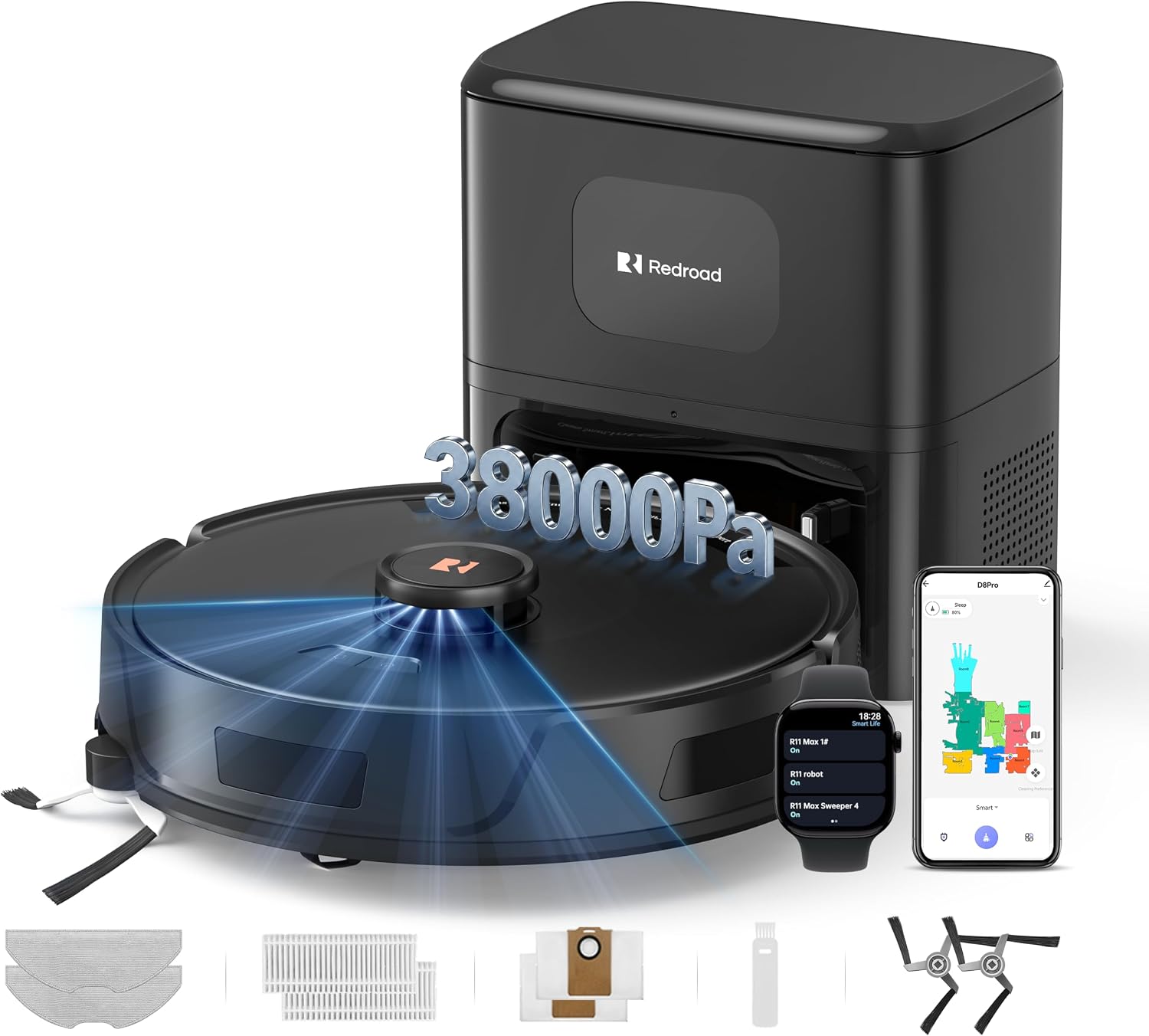
Budget pick: 38,000Pa Robot Vacuum Robot Vacuum Mop,Vacuum Robot 120Day Self Emptying,Lidar Navigation,5G 2.4GWiFi APP Aspirateur Robot,Self-Charging Robot Vacuums for Pet,Floor,Carpet R11Max Black
 Visit on Amazon →
This is the mid-tier value play, and the spec sheet reads like the category has finally caught up: LiDAR navigation, a 120-day self-emptying dock, 5G and 2.4G WiFi with app control, self-charging, and a suction figure with enough digits to be a phone number.
LiDAR is the part I care about. Laser mapping is what lets a robot know where it is, build a map you can actually use, and find the dock from the back bedroom instead of wandering the hallway until the battery dies. Suction means nothing if the robot cannot find the dock or gets stuck on the same cord twice. That is the honest reason I would take a mapped robot over a random-navigation robot with a bigger number on the box, every single time.
A 120-day dock is the longest interval in this price band. Same caveat as above: that is dirt capacity in a clean house, and two dogs will shorten it. In a two-dog house I would still check the filter and the brush roll weekly for the first month.
The 5G WiFi support is a small thing that saves a headache. It means the robot can sit on the band your router actually prefers instead of forcing you to carve out a 2.4 GHz network just for the vacuum.
Check current Amazon price, and check whether the dock bag is a proprietary shape or a generic one, because that is the difference between cheap consumables and a subscription.
Flaws but not dealbreakers: Big suction numbers do not fix a tangled cord. No amount of pascals helps a robot with no map and no no-go zones, so set those up before you judge it. The app ecosystem is also the weak link on budget brands. It works, but expect an account and a firmware update before you can schedule anything, and expect the map editor to be less polished than the brand-name options.
Anyone who wants LiDAR mapping and a long-interval dock without paying for polish should start here.
The actual setup workflow
This works on either robot, and it works in the same order every time.
Step one: Charge it fully and update the firmware before the first run. Every robot I have owned wanted an update out of the box, and some of them wanted an account before they would schedule anything. Do that while it charges, not while you are standing in the kitchen waiting.
Step two: Do a supervised first run with the lights on. Do not schedule anything yet. Watch where it fails: the sofa table, the rug edge, the cord behind the TV stand, the door threshold. That run is data, not cleaning.
Step three: Build the map one room at a time. Close doors, run the robot in a single room, and let it finish before moving on. A map built in one chaotic pass across the whole house is a map with a hallway that does not exist.
Step four: Draw your no-go zones. Dog bowls, the cable nest behind the TV stand, the rug it tries to eat, the tree in December. This is the highest-value five minutes in the whole setup. No-go zones are what turn a robot you babysit into a robot you ignore.
Step five: Fix thresholds and rug transitions physically. If a transition needs a ramp or a strip of tape, do it now. No app setting fixes a lip the robot physically cannot climb.
Step six: Put the dock somewhere boring. Clear wall space, good WiFi, away from the HVAC vent, not in a walking path, and not under a cabinet the robot has to fight to reach. Then run the dock-finding test from the farthest room in the house. A robot that always finds the dock is the highest praise I give.
Step seven: Schedule it around your floor, not your convenience. Pick a time when the floor is actually clear of shoes, cords, and dog toys. I schedule mine for 10 a.m. and leave for work anyway, which is exactly what my own rule says not to do. Do as I say.
Step eight: Set your mopping expectations low and specific. Robot mopping is light maintenance. It handles everyday footprints. It does not touch dried-on ketchup. Test one dried stain and one sticky spill in the first week so you know what you actually own.
Step nine: Write down a maintenance cadence and put it in your phone. Empty the dock bag, rinse the mop pads, cut hair off the brush roll, wipe the sensors and the charging contacts. Weekly for the first month, then adjust based on what you find.
Where a self-emptying dock does not save you
- The bag. Both the 90-day and the 120-day numbers are dirt capacity in a clean house. Two dogs shorten that.
- The filter. Self-emptying does not mean self-cleaning. Filters still clog, and a clogged filter is why a robot quietly stops picking up hair.
- The mop pads. Even a dock that washes and hot-dries them needs a look. A pad that smells like a wet dog needed a rinse two days ago.
- Hair wrap on the brush roll. Huskies win this fight. Check the roll.
- The dock itself. Dust collects in the tray and around the charging contacts.
- The clear floor. No robot navigates a floor covered in dog toys, cords, and shoes. Ten minutes of pickup before a run is worth more than any spec upgrade.
What this all costs
I am not going to quote prices here, because robot vacuum pricing moves weekly and the listing is always the truth. Check current Amazon price on either one before you commit.
What I will say is that the robot is not the whole cost. Consumables are the line item people forget: dock bags, filters, mop pads, brush rolls. A dock that washes and hot-dries its own pads saves you a consumable and a chore. A dock with generic bags saves you money every few months. And the biggest hidden cost is the one you pay in time if you skip the map and the no-go zones, because a robot that gets stuck twice a week is a robot you stop running.
Common setup questions
Do I need LiDAR, or is a cheaper random-navigation robot fine? If you want to schedule it and forget it, you need mapping. Random navigation re-covers the same corner three times and skips the hallway, and no-go zones are not really possible without a map. The extra spend on LiDAR is the single best upgrade in this category.
How long until the dock needs attention? Treat the advertised interval as a best case. Empty and check the bag monthly for the first few months, then stretch it once you know how fast your house fills it.
Will it replace my upright vacuum? No. It keeps the floor presentable between real cleanings, which is a different and genuinely useful job.
Do the setup once, in the order above, and either of these two earns its floor space. Skip it, and you have bought an expensive RC car.