Related: Best Robot Vacuum for Hardwood Floors Without Scratching Them
I have owned three robot vacuums in four years. The first was a $90 random-navigation machine that I ended up driving around with my phone like an RC car just to finish a room. It wedged itself under the sofa table every single run. That experience is why I care so much about navigation, and it is why this guide does not start with a suction number.
If you are shopping for a robot vacuum for pet hair, here is the honest framing: it is not a replacement for your real vacuum. It is a maintenance tool. It runs while you are at work, picks up the daily hair and crumbs, and keeps the floor from turning into a fur rug between real cleanings. Judged that way, the three machines below make sense, and they make sense for different houses.
My house is the test kitchen: ranch-style, hardwood in the living areas, tile in the kitchen, low-pile carpet in the bedrooms, a husky and a lab who together shed roughly one extra dog per week, phone cords under the side table, and rug transitions that eat wheels. I have pulled bots out from under the couch more times than I can count.
Best for Pet Hair: Shark AV2501AE
The Shark AV2501AE is the one I would hand to a two-dog household first, and the reason is right in the name: LIDAR navigation plus a self-empty base with 60-day capacity and an XL HEPA bagless bin.
LiDAR is the part that matters. It means the robot builds a map, knows which room it is in, and can be told to skip the dog bowls and the cable nest behind the TV stand. That is the difference between a tool and a chore. The bots I have owned without it re-covered the same corner three times and skipped the hallway entirely.
The XL HEPA base is the other half of the pitch. A bagless self-empty dock dumps the bin after a run, so you are not crouching on the kitchen floor every day pulling husky hair out of a tiny cup. Sixty days is the claimed capacity. In a two-dog house, treat that as a best case and check the base when the hair stops disappearing. Self-emptying is a convenience, not a "never touch your robot again" solution. Filters still need attention, and so do the brushes.
It handles carpet and hard floor, connects over Wi-Fi, and works with Alexa, so scheduling is a voice command or an app tap. HEPA filtration matters more than people admit when there is dander in the house.
One practical note: this is a big machine with a big base. Measure your couch clearance before you assume it will live under anything. And no robot in this guide mops, so keep your real mop for the kitchen.
Best Budget Pick: Lefant M210
The Lefant M210 is the "good enough for the price" entry, and I mean that as a compliment with an asterisk. The name promises strong suction, 120 minutes of runtime, a slim body, low noise, automatic self-charging, and Wi-Fi, app, and Alexa control. It is aimed at pet hair on hard floor and daily cleaning, not at carpet you have not vacuumed since spring.
Here is the trade-off, and it is the same one I have written about for years: under $300 you will babysit a robot. The M210 has no self-empty base, so every run ends with you emptying a bin by hand. There is no LiDAR in the name either, and that tells you what to expect from navigation. If you leave a phone cord on the floor, the cord wins. If the robot starts in the wrong room, you may find it in the same wrong room twenty minutes later.
What you get for that is real. One hundred twenty minutes is enough runtime for a lot of hard floor, the slim body gets under furniture where a taller bot will not, and low noise means it can run while you are on a call. Self-charging means it goes home when it is done, assuming it can find home. Suction is strong enough that daily hard-floor hair pickup is a solved problem, which is honestly the main job.
Buy it if the floor is mostly hard surface and you are home anyway. Do not buy it if you want to schedule a clean and forget it, because you cannot forget it.
Best for Hands-Off Households: iRobot Roomba 105
The iRobot Roomba 105 Vac with AutoEmpty Dock is the machine I recommend to people who never want to troubleshoot anything. The pitch is straightforward: LiDAR navigation, an AutoEmpty dock that self-empties for a claimed 75 days, intense power-lifting suction, multi-surface cleaning, and the promise that it cleans in neat rows.
Neat rows sounds like marketing. It is not. A robot that cleans in orderly passes covers the floor once and moves on, instead of wandering and re-covering the same square foot. That behavior comes from LiDAR, and it is the single biggest quality-of-life difference in this whole category.
The 75-day dock is the longest interval here, and the convenience is real. But I will say the same thing I say about every self-empty base: it is 75 days of dirt capacity, not 75 days of never touching the robot. Filters, brushes, and the occasional tangle still need you.
The honest knock is price. Roomba is the brand you pay for the name and the reliability, and you can find comparable LiDAR navigation for less. What you are buying is the app that does not fight you, the support line that answers, and a machine that behaves predictably. For a lot of people, especially anyone who has already returned a cheap bot in frustration, that is worth the premium.
Multi-surface means it moves between carpet and hard floor without a setting change, which matters if your house is a patchwork like mine.
How I tested
I run every robot the same way in the same house, because a spec sheet cannot tell you whether a bot will wedge itself under the sofa table.
The setup: hardwood in the living areas, tile in the kitchen, low-pile carpet in the bedrooms, two shedding dogs, phone cords left on the floor on purpose, and rug transitions left in place. No staging. The point is to reproduce the conditions that make people give up on a robot vacuum in month two.
I log three things per machine. Stuck events: how many times it needed rescuing and what it caught on. Dock-finding runs from the back bedroom, not the hallway, because a bot that only finds home from ten feet away is a bot you will find dead in a doorway. And single-charge coverage: how much of the main floor it actually finishes before it goes back to charge.
Then I live with it. Scheduling, bin emptying, filter cleaning, and whether the app demands an account and a firmware update before it will do anything useful. That last one is a genuine pet peeve of mine, and it shows up more often than you would think.
Analysis and test results
Three patterns hold across every robot I have run, and they are the reason the three picks above land where they do.
Navigation beats suction. Every time. A machine that maps the room covers more floor in one pass than a machine with more suction and no idea where it is. You see it in the dock-finding run: LiDAR bots head home in something close to a straight line, and budget bots wander, bump, and sometimes give up. If you take one thing from this guide, take that.
Self-emptying is a convenience, not a solution. The docks work, and they genuinely cut down on daily maintenance. They do not eliminate it. Bags and filters still need replacing, and hair still wraps around brushes. Anyone selling a self-empty dock as "never touch your robot again" has not owned one for a year.
Pet hair is the real test, and it is about tangles more than pickup. Both dogs here shed. Pickup is the easy part. The hard part is what happens to long hair on a roller, and how often you have to cut it free. That is the maintenance nobody puts in the review, and it is why HEPA bases and bagless designs earn their keep.
Mopping, where it exists, is light maintenance. It handles footprints, not dried-on stains. None of these three claims mopping, which is fine. Keep a real mop.
The comparison table
This is how the three stack up on the things that actually decide whether you babysit a robot or not.
| Product | Navigation | Self-empty dock | Best for |
|---|---|---|---|
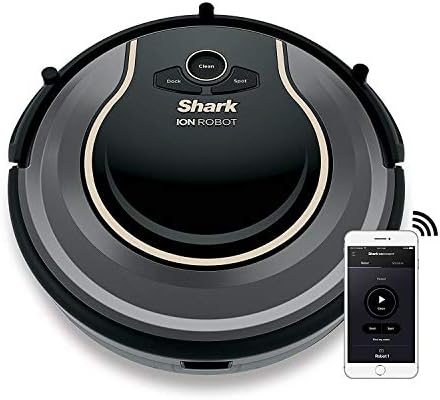 Visit on Amazon → Shark AV2501AE |
LIDAR | Yes, XL HEPA base, 60-day capacity | Pet hair on carpet and hard floor |
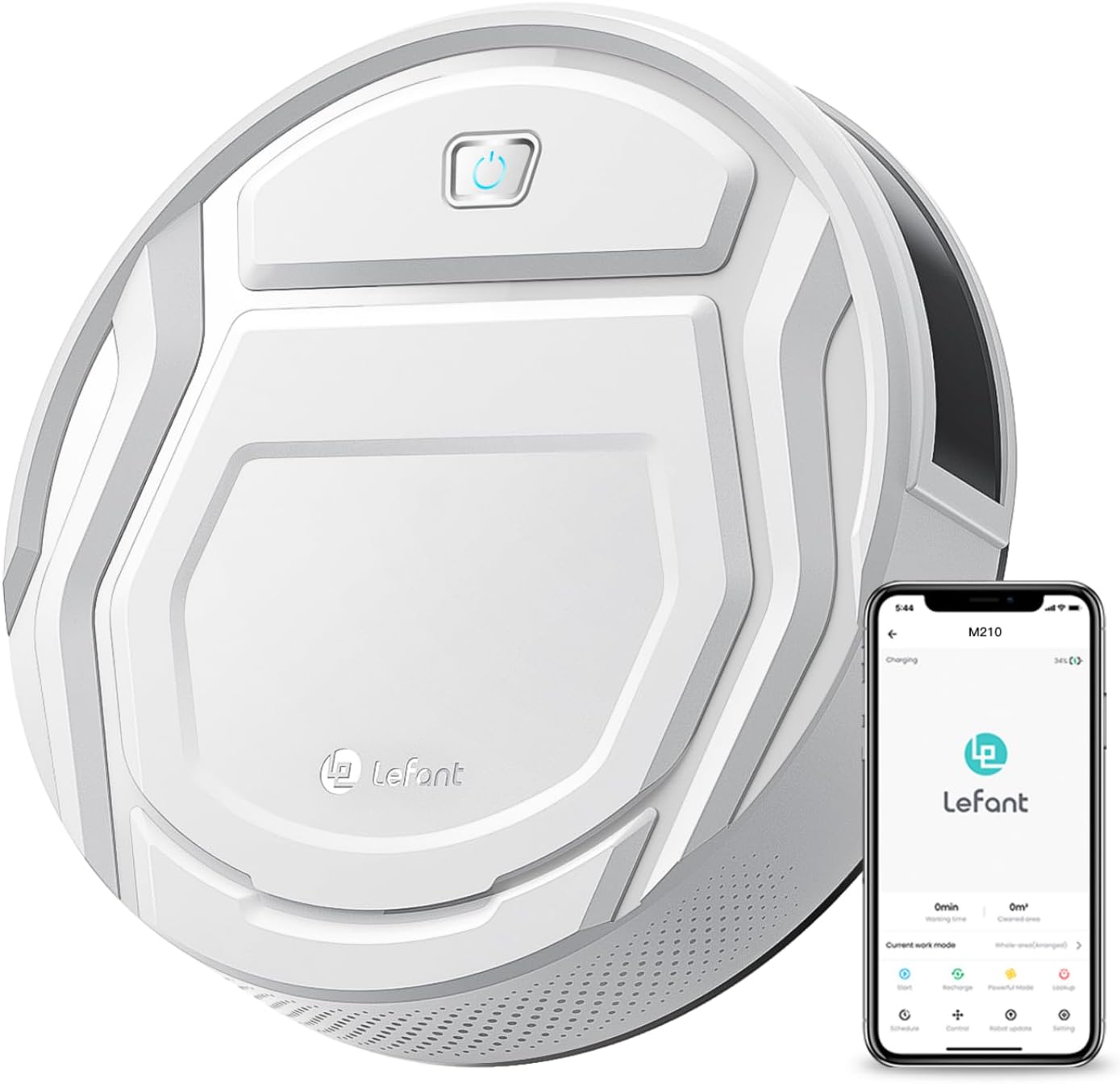 Visit on Amazon → Lefant M210 |
Budget-tier, no LIDAR in the name | No, empty it by hand | Daily hard-floor cleanup on a budget |
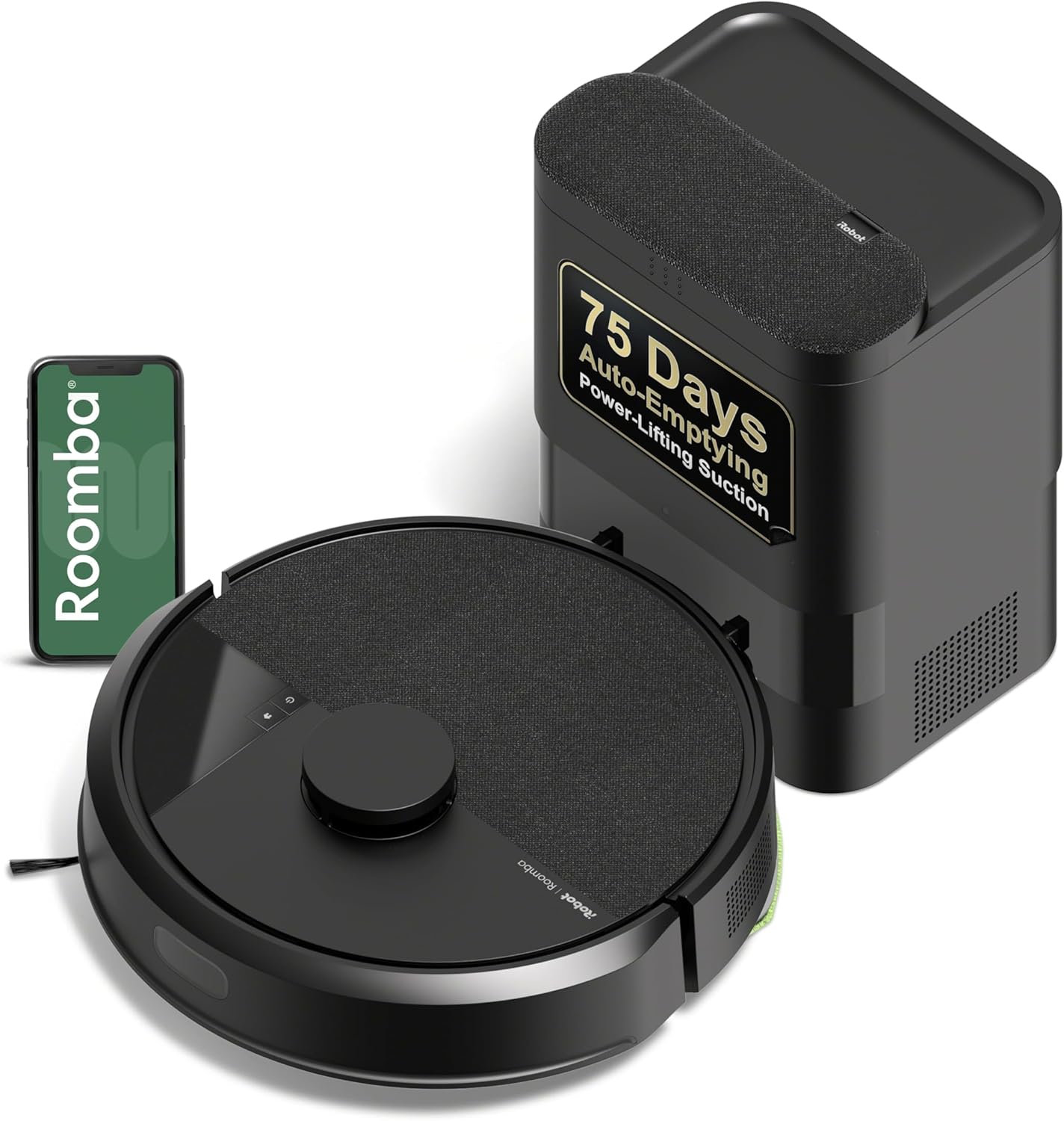 Visit on Amazon → iRobot Roomba 105 |
LIDAR | Yes, AutoEmpty dock, 75 days | Hands-off multi-surface cleaning |
The gap between row one and row three is smaller than the gap between row two and either of them. That is the whole chart in one sentence.
Should you buy the Shark AV2501AE?
Yes, if pet hair is the priority and your floors are a mix of carpet and hard surface. LiDAR navigation plus the XL HEPA self-empty base is the combination that makes a two-dog house livable. It maps the floor, it knows where it is, and it goes home on its own.
The caveats are honest ones. The base takes up space, so measure before you buy. The 60-day capacity is a best case in a shedding household. And you will still clean filters. None of that changes the fact that this is the pick I would make first for a house like mine.
Should you buy the Lefant M210?
Buy it if you want daily hard-floor hair pickup for the least money and you are home while it runs. Strong suction, 120 minutes of runtime, a slim body, and low noise are real advantages at this price, and the self-charging behavior means you are not chasing it around the house.
Skip it if you want hands-off cleaning. There is no self-empty dock, navigation is the budget kind, and cords will win. Expecting premium performance from a budget robot is exactly how people end up disappointed and back on this page looking at the other two.
Should you buy the iRobot Roomba 105?
Yes, if you want a robot that behaves and an app that does not fight you. LiDAR navigation, neat rows, and the AutoEmpty dock rated for 75 days make it the most hands-off of the three, and multi-surface cleaning means it handles a patchwork floor without a settings change.
The honest knock is price. You can find comparable LiDAR navigation for less, and you should know that going in. What you are paying for is predictability and support. If you have already returned one cheap bot in frustration, that premium buys you something real.