Most people buy a self-emptying robot vacuum, set it on the floor, tap Clean in the app, and then spend two weeks pulling it out from under the same couch. I know, because my first bot was a $90 random-navigation unit that wedged itself under the sofa table every single run. I finished rooms by driving it around with my phone like an RC car.
A self-emptying robot vacuum is not a plug-and-play appliance. It is a maintenance tool that rewards about 45 minutes of setup and punishes you for skipping it. Do the prep once, and a LiDAR bot with a real dock will run your main floor while you do something else. Skip it, and you own a very expensive dog toy that beeps at you from under the bed.
Here is the setup order I use before I trust a robot in a ranch house with two shedding dogs, hardwood in the living areas, tile in the kitchen, and low-pile carpet in the bedrooms.
Why you should trust me
I have been running robot vacuums for about four years and I am on my third unit. The first was a $90 random-navigation bot that bounced off walls in a zig-zag pattern, got stuck under the sofa table on every single run, and taught me the difference between random navigation and LiDAR the hard way. I upgraded to a ROPVACNIC, was genuinely impressed for the price, and later bought a Tikom G8000 Max on a Prime discount when the older unit aged out.
I am the friend people text before they buy one of these. My answer usually starts with the same sentence: it is not a replacement for your real vacuum. What I care about is narrower and more useful. Can it find the dock from the back bedroom without me? Does it get stuck on the same cord twice? Does the bin survive a week of two-dog hair? Would I trust it to run while I am at work? That is the test every claim in this article has to pass.
What to do before the robot leaves the box
Do this part first, and the first run goes twice as well.
Clear the floor for real, not just tidy. Phone cords, charging cables, dog toys, socks, the bath mat with the fringe, the strap on a duffel bag. Cords are the number one cause of stuck events on every bot I have run, LiDAR or not. A robot that knows exactly where it is will still strangle itself on a charging cable.
Fix the rug transitions. Thin rug edges and the lip between hardwood and tile are where bots beach themselves. If a rug curls, tape the corner down or accept that the robot will fold it every run.
Pick the dock spot before you unbox. You want a wall outlet, solid Wi-Fi, and open floor on both sides of the base. Not on a rug, not behind a door that swings into it, not in direct sun if you can avoid it. Leave roughly three feet of clearance to each side and several feet in front. If the dock is squeezed into a corner, the robot will fight it every time it returns.
Get the app installed and the firmware updated before the first clean. Nothing wastes a first mapping run like a forced update 12 minutes in.
The two bots I would set up this way
I am not going to pretend these are the only options. They are the two I would hand to a friend, and they take the same setup.
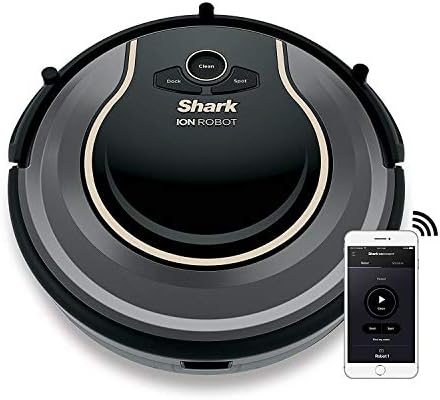
The pet hair pick: Shark AV2501AE AI Robot Vacuum with XL HEPA Self-Empty Base
 Visit on Amazon →
If two dogs are the reason you are shopping, start here. The AV2501AE pairs LiDAR navigation with an XL HEPA self-empty base and a bagless design, which is the part I care about most. Bagless means you dump the base into the trash instead of buying bags on a schedule, and the XL capacity is listed at 60 days. On a house with husky-level shedding, treat that number as a ceiling, not a promise, because a heavy shed season fills any base faster than the marketing suggests.
HEPA filtration matters more than people think in a pet house. It is the difference between trapping dander in the dock and blowing fine hair dust back into the room you just cleaned. The Alexa and Wi-Fi support is standard now, and the carpet and hard floor modes cover the floor mix most of us actually live on.
Where it fits: a home with shedding pets and a mix of carpet and hard floor, where you want the dock to hold more than a couple of days of fur.
What to watch: bagless bases need emptying on your schedule, not the box's. Check it weekly for the first month so you learn your house's real fill rate.
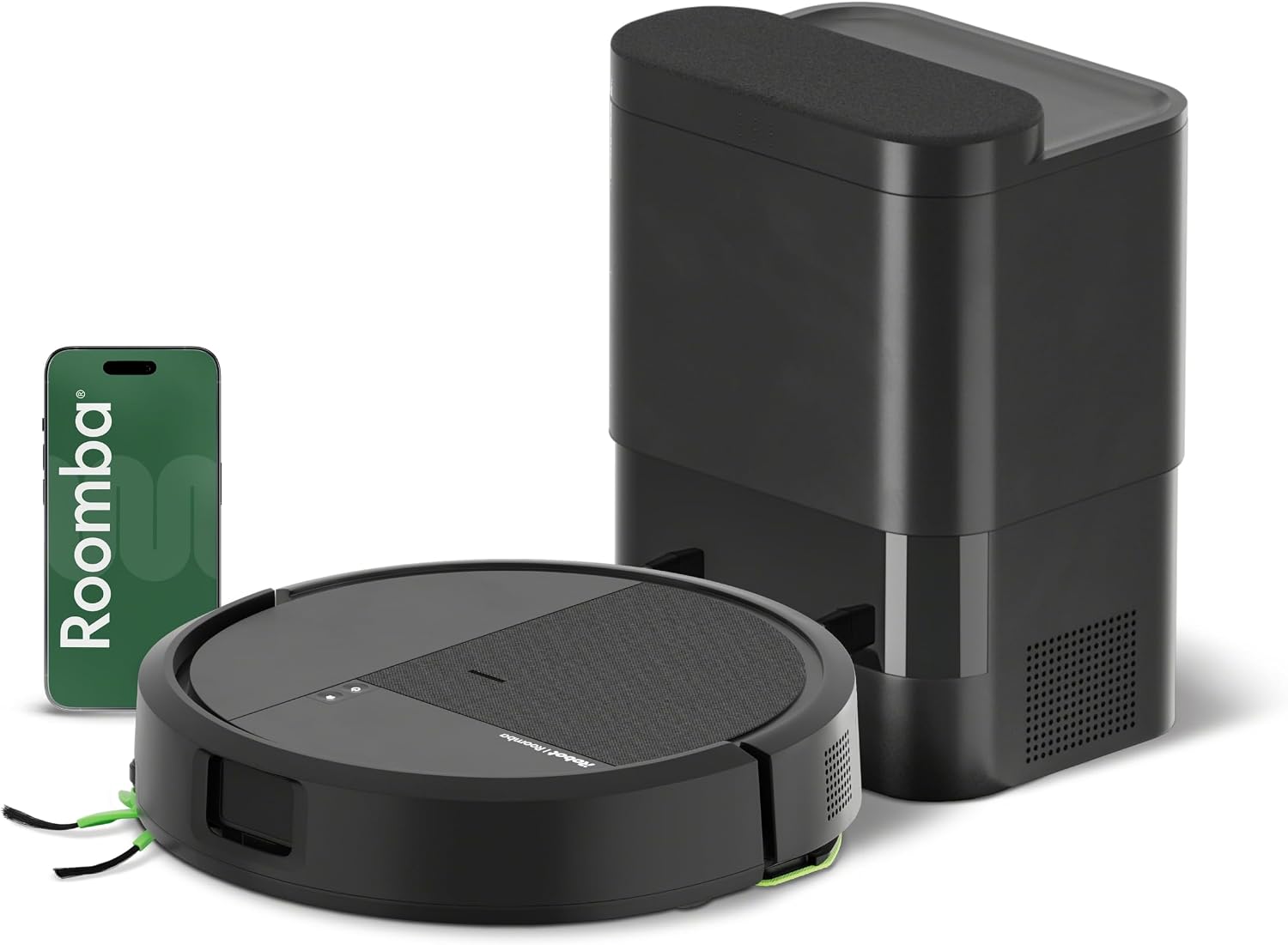
The no-troubleshooting pick: iRobot Roomba 115X Combo Robot Vacuum & Mop with AutoEmpty Dock
 Visit on Amazon →
This is the one I point at when someone tells me they do not want to troubleshoot anything. Roomba's whole pitch is that the app is boring in the best way, and the 115X Combo adds the two features that change daily life: LiDAR navigation and an AutoEmpty dock rated for 90 days. It is also a combo unit, so it vacuums and mops, and iRobot lists it as avoiding mopping carpet, which is the feature that keeps a mop pad off your bedroom rug.
The listing claims 15,000Pa of suction and multiple cleaning modes. Do not buy suction numbers. Buy the navigation, the dock, and the reliability, and treat the power figure as the least interesting line on the page.
Where it fits: someone who wants the robot to disappear into the routine. Set it, forget it, empty the dock when it tells you to.
What to watch: you are paying for the name and the polish. That is a fair trade if you never want to think about it, and a bad trade if you enjoy tuning settings.
The actual setup workflow
This works on either bot above, and on most LiDAR robots with a self-empty base.
Step one: place the dock and plug it in. Do this before the robot's first run, because the first run is also the mapping run, and the robot needs to know where home is. Give it the clearance you measured earlier.
Step two: let the first run be a mapping run. Do not interrupt it. Do not pick it up and move it to the hallway because it is taking too long. Let it bump around, learn the walls, and build the map. The first pass is always ugly. The second pass is where LiDAR pays off, because the robot follows a plan instead of wandering.
Step three: run the dock-finding test from the back bedroom. This is the test that matters and almost nobody does it. Start a clean in the farthest room from the dock, then send the robot home. Watch whether it takes a sane path back or wanders into the kitchen and thinks about it. A robot that finds the dock from the hallway is not the same product as one that finds it from the far bedroom.
Step four: set your no-go zones. Dog bowls, the cable nest behind the TV stand, the rug it always eats, the sofa table that swallowed my first bot. Fence them off in the app. This is the single biggest babysitting reducer you have, and it is why LiDAR is worth the money over random navigation.
Step five: schedule the clean while you are awake, at least at first. I say you should be home for the first month of any robot, and then I schedule mine for 10 a.m. and leave for work anyway. Be honest with yourself about which person you are. If you are not home, the first stuck event waits until evening.
Step six: set up mopping only after the floors are vacuumed. Robot mopping is light maintenance. It handles everyday footprints and dust. It does not touch dried-on stains or anything sticky, and running a mop pad over a floor with dog hair on it just smears the hair around. Vacuum first, mop second, and keep your real mop for the kitchen.
Step seven: build a maintenance rhythm. Every couple of weeks: rinse the filter, cut hair off the brush roll, wipe the sensors and the charging contacts, and check the dock. Every month or so: check the base's bag or bin, and look at the edge brush for fraying. None of this takes long, and all of it is what people mean when they say their robot "stopped working."
The pet hair reality check
Husky-level shedding is the real test, and it exposes the difference between a spec sheet and a house. Two things decide whether a robot keeps up: how much the dock holds, and how often the brush roll tangles. A base that holds 60 or 90 days of dust in a normal house may hold a fraction of that in a heavy shed season, and a tangled brush roll is the most common reason a bot stops picking up without throwing an error.
Check the brush roll weekly during coat-blowing season. If hair is wound tight around it, the robot is still running, still finding the dock, and still leaving hair on the floor.
What it will not do
It will not replace your upright or your canister. Anyone who tells you otherwise has not owned one for a year. You will still vacuum the stairs, the couch, and the corners.
It will not deep clean a carpet. It maintains a floor that is already reasonably clean, which is exactly what you want if you run it often.
It will not mop a dried-on stain. Light maintenance only.
It will not be silent, whatever the box says. Run it next to the TV at normal volume before you decide it is quiet enough for a work call.
What this actually costs you
The purchase price is the easy part, and it is not the number you should budget around. The recurring costs are the base bags if your model uses them, replacement filters, edge brushes, and eventually a brush roll. Bagless bases like the Shark cut one line item and add a little more hands-on time.
The real cost is your attention in the first month. Budget three or four supervised runs, one dock-finding test from the farthest room, and a look at the brush roll after each one. After that, the math swings hard in your favor: a robot that runs five days a week while you are doing something else is the cheapest floor maintenance you will ever buy.
Do the setup once, set the no-go zones, and then leave it alone. That is the whole job.