Related: LiDAR vs Random Navigation: Why Your Robot Keeps Missing the Hallway
A robot vacuum and mop combo is a maintenance tool, not a replacement for your real vacuum. Anyone who tells you otherwise has not lived with one for a year. I have run three robots in a ranch house with hardwood in the living areas, tile in the kitchen, low-pile carpet in the bedrooms, and two dogs that together shed roughly one extra dog per week. That house is the test every machine has to pass.
Here is the short version of four years of this. Suction numbers sell machines. Navigation decides whether you keep them. A robot that maps your floor, respects a no-go zone, and finds the dock from the back bedroom is worth more than a robot with a bigger number on the box and a habit of wedging itself under the sofa table.
So this is not a list of the four most powerful robot vacuum and mop combos on Amazon. It is a list of four built for different houses, sorted by the job each one actually does. Two of them map, one empties itself into a dock, and one is the slim, quiet, cheap first robot.
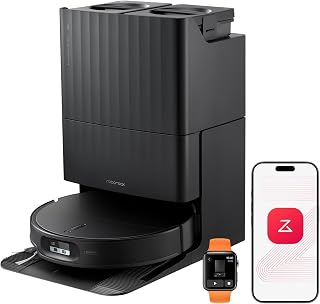
Best Overall: roborock Qrevo Edge 2
Roborock is the brand I point people to when mapping, app polish, and a dock that behaves matter more than saving money. The Qrevo Edge 2 is the flagship of this group, and the two numbers in its name are 25,000Pa and 3.14 inches.
The 3.14 inch body is the part I care about most. The lowest piece of furniture in my house is a sofa table that has eaten every bot I have owned. A machine at that height is the only one here with a real chance of cleaning under it instead of parking under it and waiting for rescue. If your living room is full of low-slung furniture, that spec matters more than suction.
25,000Pa is a lot of suction, and on paper it should pull husky hair out of low-pile carpet better than anything else on this list. Suction is only half the story. The other half is whether the robot gets to the hair in the first place, which is a navigation and mapping question, and that is where this brand's software reputation comes from.
Who it is for: the buyer who wants the polished version of this category and does not want to think about it again.
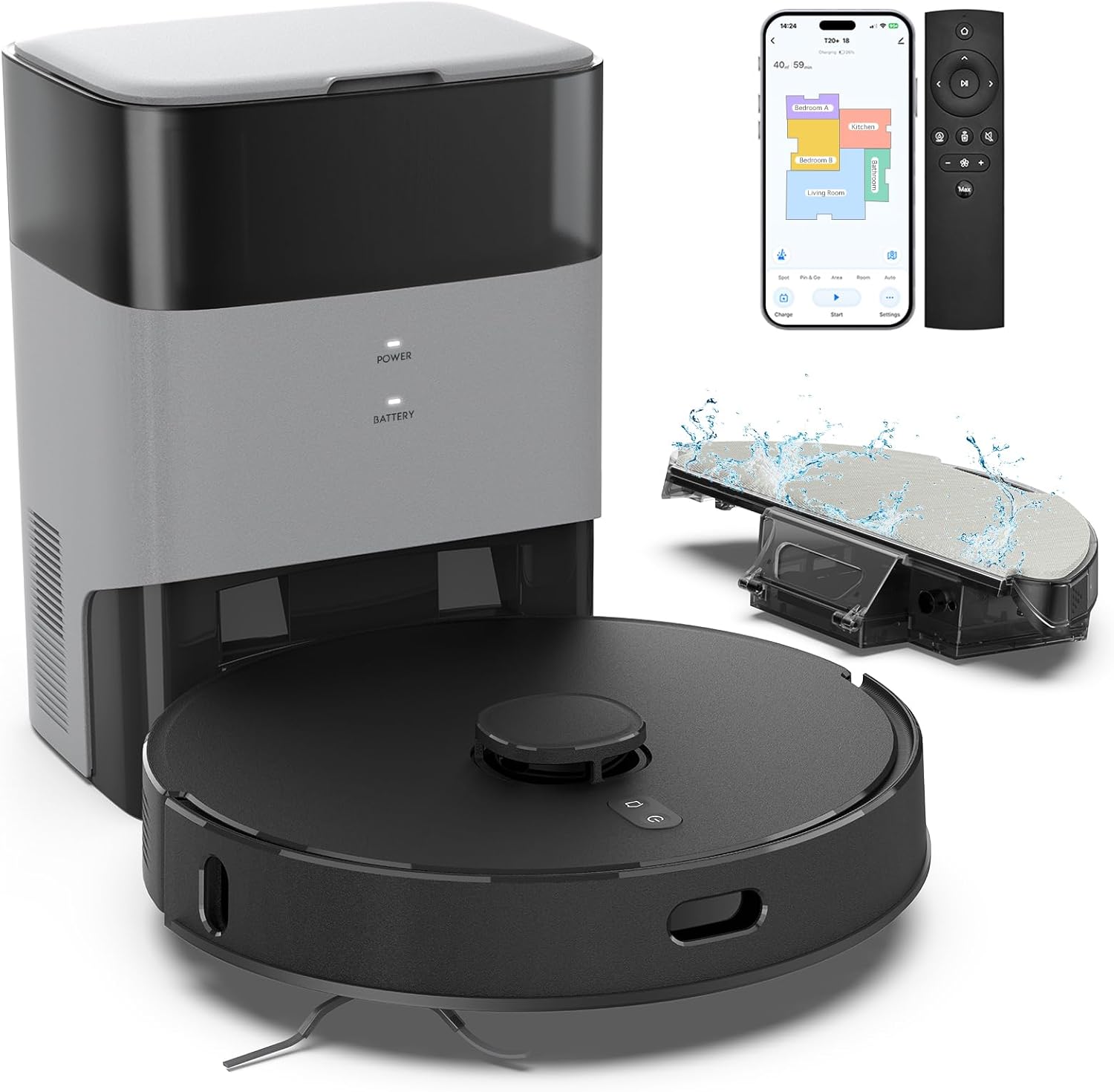
Best Value: T20+ Self-Emptying
This is the one I would buy if I wanted a self-emptying dock without flagship money. The T20+ empties its own bin into the dock, and the listing claims 75 days hands-free, with 6,000Pa of suction, home mapping, app and remote control, and 180 minutes of runtime.
Let me translate that 75 day number, because it is the most misread claim in this category. It means 75 days of not emptying a bin. It does not mean 75 days of never touching the robot. Filters still need rinsing, the brush roll still collects hair, and the sensors still need a wipe. What the dock really buys you is skipping the daily bin dump, which in a two-dog house is the chore that wears you down first.
6,000Pa is mid-tier suction, and 180 minutes is a long single-charge window. In my house, a runtime in that range covers the main floor with time to spare. Home mapping plus app control is the part that changes your routine, because you can fence off the dog bowls and the cable nest behind the TV stand instead of following the robot around with a rolled up magazine.
Who it is for: the household that wants hands-free emptying and real mapping without paying flagship prices.
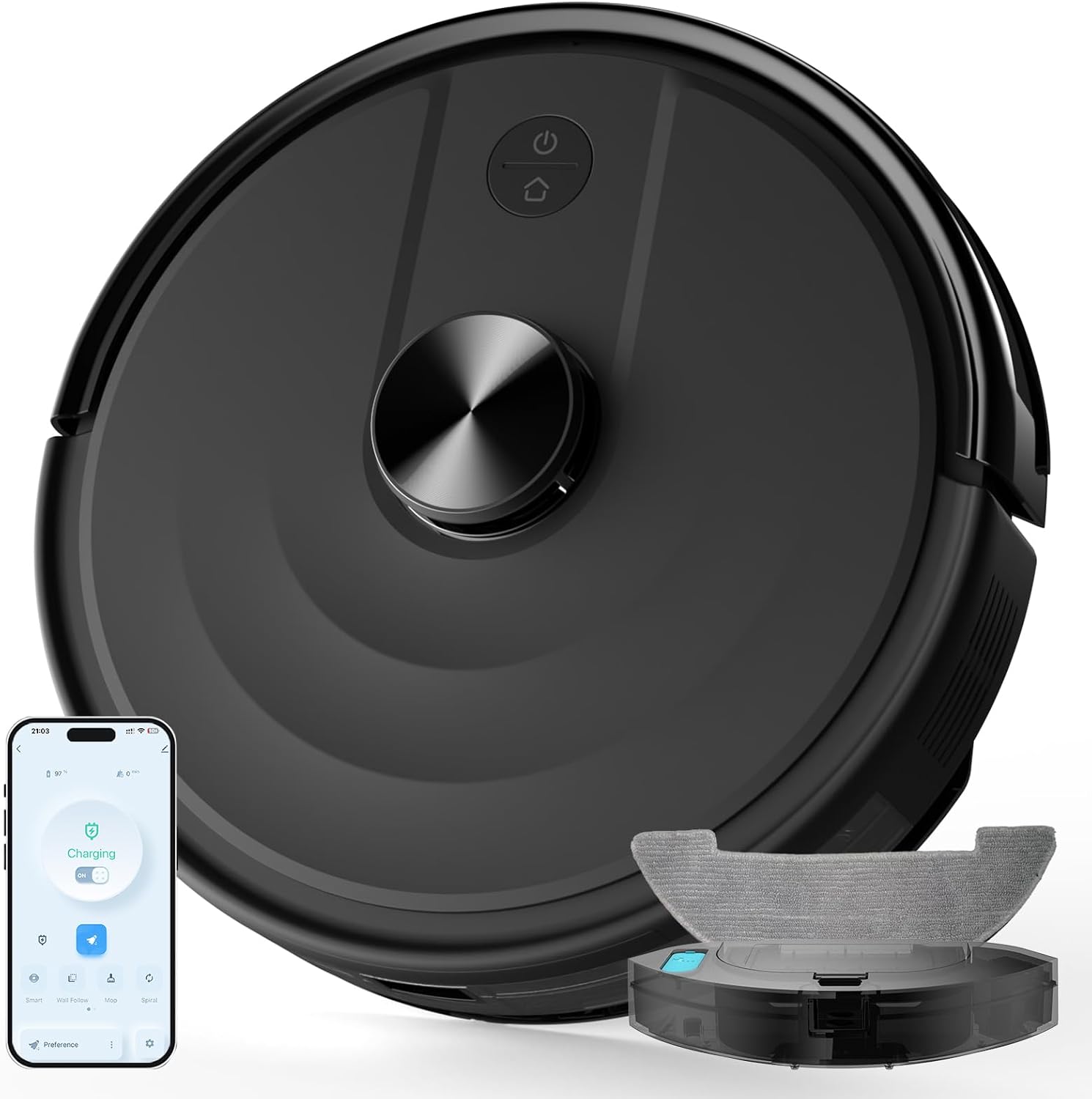
Best for LiDAR Navigation: Bagotte
If you remember one thing from this article, remember this. LiDAR changes everything about how much you babysit the thing. Random navigation bounces off walls, re-covers the same corner three times, and skips the hallway entirely. LiDAR builds a map, and a map means no-go zones, room-by-room cleaning, and a robot that knows where the dock is.
The Bagotte is the LiDAR machine in this group, with smart mapping, 6,000Pa of suction, auto recharge, and app plus Alexa control. It runs on 2.4G WiFi, which is a setup detail people miss. If your router splits bands, put the robot on the 2.4 side and save yourself an hour of failed pairing attempts.
6,000Pa with LiDAR is the combination I would pick for pet hair on hard floors and low-pile carpet. Auto recharge means it goes back, tops up, and finishes the job instead of dying in the hallway halfway through the bedrooms.
Who it is for: the buyer who wants genuine mapping and is willing to step up from the cheapest option to get it.
Best Budget Entry: 5000Pa Robot Vacuum and Mop Combo
This is the entry point: 5,000Pa, smart obstacle avoidance, self-charging, a 3-in-1 vacuum and mop design, a slim body, and Alexa plus app control.
Two things to understand before you buy at this level. First, quiet is relative. Every listing says quiet, and every robot I have run is quieter than a full-size vacuum and louder than you hope when the TV is at normal volume. Second, smart obstacle avoidance is not the same as LiDAR mapping. Avoidance keeps the robot off your shoes and cables in the moment. Mapping is what lets you tell it never to go there again. At this level you get one of those, and this machine is the avoidance version.
If you have a small apartment, mostly hard floors, and not much low furniture, this is a lot of robot for the money.
How I judge a robot vacuum
Every bot has to answer five questions in my house before I would recommend it to a friend, and they are the same questions you should ask before you click buy.
- Can it find the dock from the farthest room without help? I have watched a robot circle a hallway for ten minutes because the dock was tucked behind a chair. Dock finding is the most underrated spec in this category.
- Does it get stuck on the same phone cord twice? Once is an accident. Twice is a design problem.
- What does the mopping actually do to a dried-on stain? Robot mopping is light maintenance. It handles footprints and dust, not sticky spills. Any listing that calls it a deep clean is selling you something.
- Does the bin survive a week of two-dog hair without clogging? If the answer is no, the rest of the spec sheet does not matter.
- Would I trust it to run while I am at work? That is the entire point of owning one.
What the spec sheet does and does not tell you
Suction is the easiest number to print and the least useful number to shop by. 25,000Pa, 6,000Pa, 5,000Pa: all three can pick up husky hair off hardwood. The difference shows up on carpet, in how many passes the robot makes, and in whether it goes back over the same spot because it lost its place.
Navigation is the spec that changes your daily life. LiDAR and smart mapping give you a floor plan, room selection, and no-go zones. Random navigation gives you RC car mode in the app, which is a real feature and also an admission that the robot cannot finish a room by itself.
Dock claims deserve the same translation. A 75 day hands-free number is 75 days of not emptying a bin. Budget for filters, brush roll cleaning, and a regular wipedown of the sensors no matter what the box promises.
Battery claims follow that rule too. A 180 minute runtime is a big single-charge window, and in a normal house it means most of one floor. It does not mean your whole house in one pass with furniture in the way.
WiFi bands matter more than people expect. If a listing says 2.4G WiFi, that is the band it wants, and setup failures are almost always a 5GHz network or a router that hides both bands behind one name.
And mopping is light maintenance on every machine here. None of these replace a mop, and none of them replace your real vacuum. They keep the floor presentable between the deep cleans, which is exactly the job they are built for.
The four models side by side
| Model | What the listing promises | Navigation | Price |
|---|---|---|---|
 Visit on Amazon → roborock Qrevo Edge 2 |
25,000Pa suction, 3.14 inch ultra-slim body, vacuum and mop | Roborock app and mapping | $749.99 |
 Visit on Amazon → T20+ Self-Emptying |
6,000Pa, self-emptying dock, 75 day hands-free claim, 180 minutes, home mapping, app and remote | Home mapping | $249.99 |
 Visit on Amazon → Bagotte |
6,000Pa, LiDAR navigation, smart mapping, auto recharge, 2.4G WiFi, app and Alexa | LiDAR and smart mapping | Check current Amazon price |
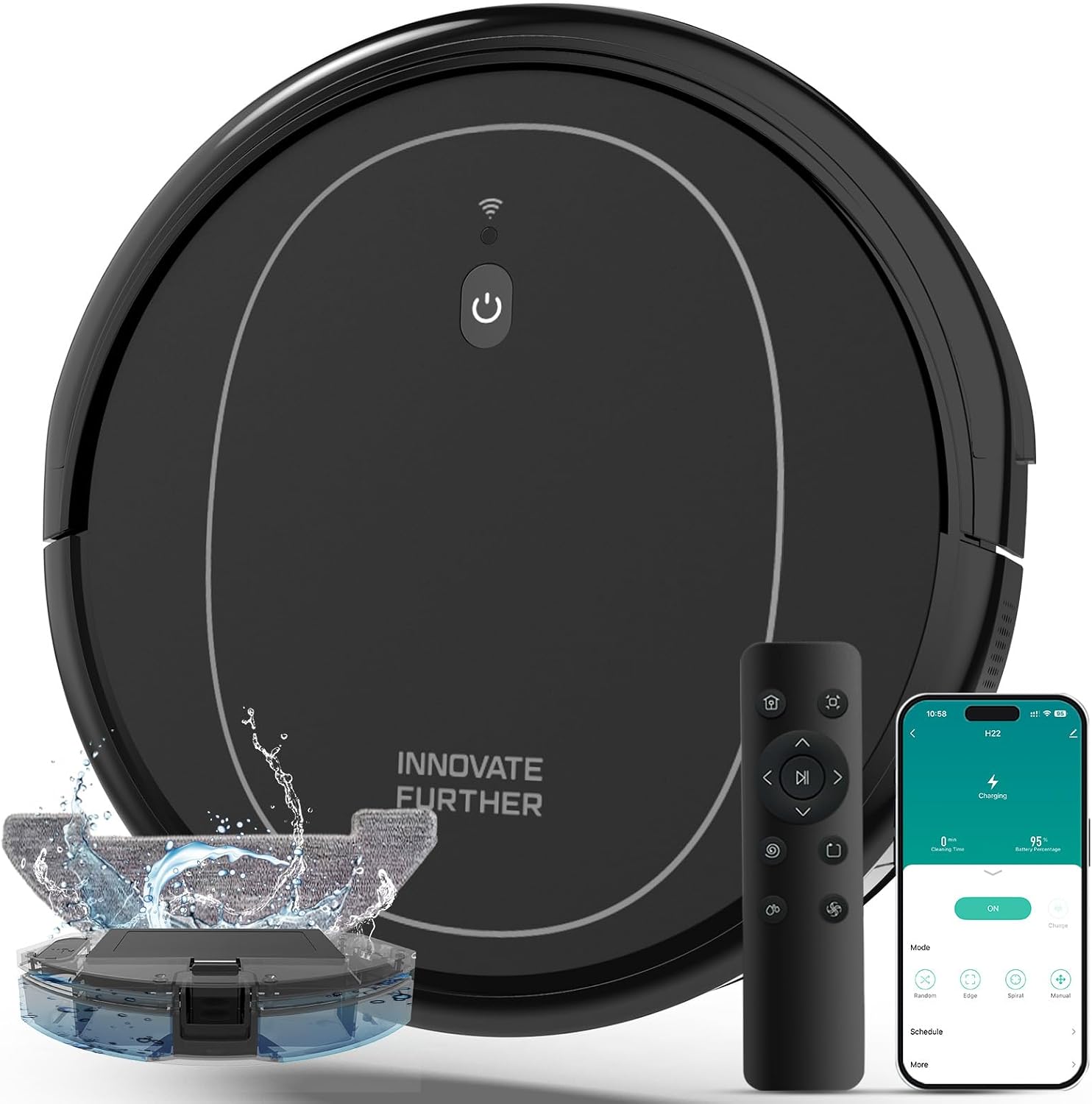 Visit on Amazon → 5000Pa Robot Vacuum and Mop Combo |
5,000Pa, smart obstacle avoidance, self-charging, 3-in-1, slim, Alexa and app | Smart obstacle avoidance | Check current Amazon price |
Should you buy the roborock Qrevo Edge 2?
Yes, if you want the polished version of this category. It lists 25,000Pa of suction and a 3.14 inch body, which is the lowest profile here and the only one with a real chance of cleaning under a sofa table instead of parking under it. Roborock's app and mapping reputation is the reason people pay up.
Should you buy the T20+ Self-Emptying?
It is the value pick if the dock matters to you. Self-emptying, 6,000Pa, home mapping, app plus remote control, and a claimed 180 minutes of runtime. Treat the 75 day hands-free claim as 75 days of not emptying a bin, not 75 days of never touching the robot. Filters and brush rolls still need work.
Should you buy the Bagotte?
This is the LiDAR pick. LiDAR and smart mapping change everything about how much you babysit a robot, because a map means no-go zones and room-by-room cleaning. 6,000Pa, auto recharge, app and Alexa control. It runs on 2.4G WiFi only, so put it on that band during setup.
Should you buy the 5000Pa Robot Vacuum and Mop Combo?
It is the entry pick. 5,000Pa, smart obstacle avoidance, self-charging, a 3-in-1 vacuum and mop design, a slim body, and Alexa plus app control. Obstacle avoidance is not the same as mapping, so you cannot fence off a room the way you can with LiDAR. Good for apartments and mostly hard floors.
The honest bottom line
None of these four will replace your real vacuum, and all four will keep your floors presentable between deep cleans. If mapping and polish matter most, take the roborock. If you want the dock without the flagship price, take the T20+. If you believe LiDAR is the whole game, take the Bagotte. And if you just want a slim, quiet first robot for a small place, take the 5000Pa combo. Match the machine to the house, not to the biggest number on the box.