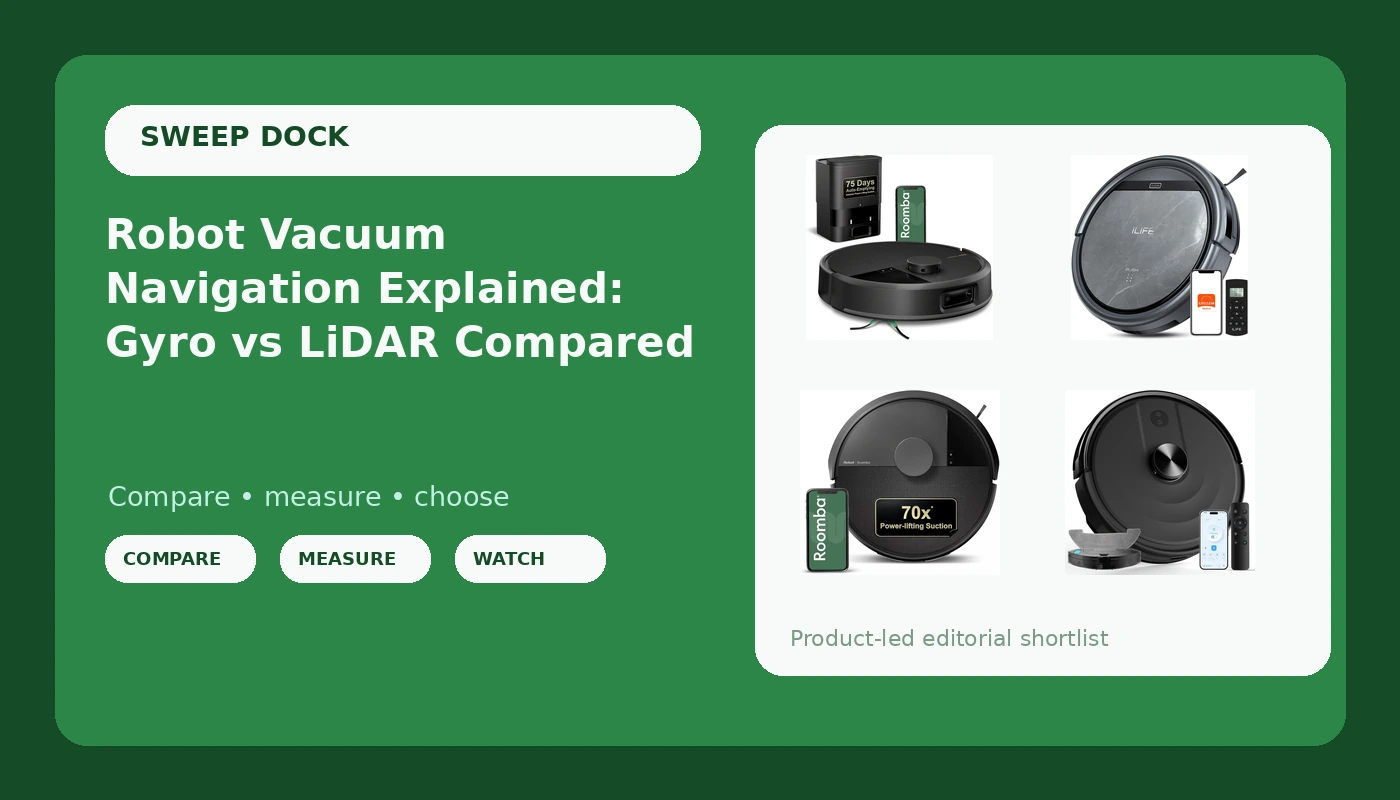
Robot vacuum navigation is the part of the spec sheet that decides whether you actually like the machine six months from now. A bot with impressive suction and no map still zig-zags across the same corner three times, skips the hallway, and parks itself under the sofa table until you go get it. Suction is the number printed largest on the box, but navigation is what determines whether you babysit the thing or schedule it and forget it. Under $500 you will run into three approaches: random bounce, gyro navigation, and LiDAR mapping. This explainer walks through what each one does, what mapping unlocks in the app, and four current models that sit at different points on that ladder, from an $89 entry unit to a self-emptying dock.
Related: How to Set Up No-Go Zones That Actually Work →
Quick answer
LiDAR navigation builds a real map of your floor plan, and that map is what makes room-by-room cleaning, no-go zones, and reliable returns to the dock possible. Gyro navigation tracks heading and distance traveled, so it cleans in straighter lines than a random-bounce bot but can drift over a long run because nothing is measuring the walls around it. Random navigation has no map at all. If mapping matters to you, pay for LiDAR rather than a bigger suction number, because a 2,000Pa bot that knows your floor plan cleans more of your house than a 6,000Pa bot that does not. Do not label any model the quietest, fastest, safest, or best unless the available evidence supports that distinction.
Four useful options
| Model | Best fit | What stands out |
|---|---|---|
| Bagotte Robot Vacuum and Mop Combo | First-time buyers who want mapping and mopping in one unit | 6000Pa suction, LiDAR navigation, and a mop combo at a budget-tier position |
| iRobot Roomba 105X | Homes that want mapped, app-controlled cleaning without a self-empty dock | Smart LiDAR mapping, custom room cleaning, app and voice control |
| iRobot Roomba Max 705 | Anyone who wants the dock to handle the emptying | AutoEmpty dock, dual rubber anti-tangle brushes, obstacle and anti-fall detection |
| ILIFE V5s Max | Small apartments and hard budget ceilings | 4000Pa suction and gyro navigation at the lowest entry point here |
The value pick: Bagotte Robot Vacuum and Mop Combo
The trade-off here is the usual budget-compromise shape: you get the navigation tech and the mopping hardware, and you give up the polish that comes with a premium app and a self-empty dock. You will still be emptying the bin yourself, and the mop function is light maintenance rather than a deep clean. That is the honest framing for any robot mop in this price band, and it applies here. What you are buying is the map, and the map is the feature that changes how much you babysit the robot.
The mid-tier LiDAR pick: iRobot Roomba 105X
The reason to step up from a budget LiDAR bot to something in this range is the app and the mapping reliability, not the cleaning. Room selection and no-go zones are only useful if the map holds up run after run, and that is where brand-name software tends to earn its premium. What you are not getting is the dock, so plan on emptying the bin on a schedule that matches how much your floors collect. For a household with pets, that is more often than the marketing implies.
The hands-off pick: iRobot Roomba Max 705
Be clear about what a self-emptying dock does and does not do. It means you stop emptying a small bin after every run; it does not mean you never touch the robot. The dock still has a bag or a bin to deal with, the filter still needs cleaning, and the brushes still collect hair that wraps around them. Anti-fall detection matters if you have a sunken living room or a staircase, because a robot that cannot see a drop will find it. The cost of entry at this tier is real, and the cleaning result is not dramatically different from the mid-tier model above. You are paying for the dock and the brush design, and those are legitimate things to pay for if the bin is what annoys you most.
The entry pick: ILIFE V5s Max
Gyro navigation is a genuine improvement over the random-bounce bots that gave the category a bad name. It tracks turns and distance so the robot covers the floor in rows instead of wandering. What it cannot do is correct for drift, because nothing on board is measuring the distance to the walls. Over a long run, through rug transitions, or after someone picks the robot up and moves it, the internal sense of position can get out of step with reality. In a small apartment with a simple layout, that is a fine trade for the price. In a larger house with several rooms and a dock at one end, you will notice the difference.
Prices and availability may change. Product images, names, and retailer links must be matched by verified ASIN. Do not state a current price, rating, stock status, or measured result without current evidence.
How gyro navigation and LiDAR navigation actually differ
Random navigation is the oldest and simplest approach. The robot drives until a bumper hits something, turns, and drives again. There is no map, no memory of where it has been, and no way to know whether it covered the hallway or missed it entirely. This is the behavior people describe as drunk driving, and it is why so many cheap robots end up abandoned in a closet.
Gyro navigation adds a gyroscope, sometimes paired with an accelerometer, that tracks how far the robot has turned and traveled. Combined with the bumper, that is enough to plan back-and-forth passes and cover a room in a pattern rather than a zig-zag. It is meaningfully better than random navigation and it costs the manufacturer very little, which is why it shows up on inexpensive models.
LiDAR navigation adds a spinning laser on top of the robot that measures the distance to walls and furniture hundreds of times per second. Those measurements build a map, and a map changes everything downstream. The robot knows where it is on that map, so it can plan an efficient path, clean a specific room on command, avoid areas you fence off, and return to the dock deliberately instead of wandering until the battery dies. Camera-based mapping is a third approach that uses a visual sensor instead of a laser; it also builds a map, but it depends on having enough light to see.
Suction ratings deserve a note of their own. The Pascal number on the box is a lab measurement, and real cleaning depends on airflow, brush design, sealing, and how many passes the robot makes over a spot. A mapped robot that covers every part of a room twice will outclean a stronger robot that covers half the room once. For pet hair specifically, brush design matters as much as suction, because rubber brushes and anti-tangle designs reduce how much hair wraps around the roller.
What mapping unlocks in the app
Once a robot has a map, the features people actually use start to appear. No-go zones let you fence off the dog bowls, the cable nest behind the TV stand, and the rug the robot keeps eating. Room selection lets you send the robot to the kitchen after dinner instead of running the whole floor. Recharge and resume lets a larger home finish a job across two battery cycles. And dock returns become reliable, which is the quiet feature that matters most day to day. A robot that finds its own way home is the difference between a tool and a chore.
- Measure the floor the robot will actually cover and count how many rooms that is. A single charge rarely covers an entire house.
- Decide whether you want a map at all. If no-go zones or room-by-room cleaning matter, LiDAR is the feature to buy.
- Decide who empties the bin. If the answer is not you, a self-empty dock is worth the step up in price.
- Match the brush design to your floors and your hair situation. Long hair and shedding pets are the hardest case.
- Be honest about whether you will be home. Gyro and random-navigation robots need a cleared floor and a human nearby.
Keeping a mapped robot out of trouble
- Pick up phone cords, charging cables, and socks before the first run. Cords are the single most common reason a robot stops mid-job.
- Let the robot complete a mapping run before you set any no-go zones. The zones are drawn on the map it builds.
- Put the dock against a wall with clearance on both sides and on a hard surface, not on carpet or in a corner it cannot approach.
- Empty the bin, rinse the filter, and check the brushes weekly in a pet household. A clogged filter quietly reduces suction.
- Treat mopping as light maintenance. It handles everyday dust and footprints, not dried-on stains.
- Schedule the first two weeks of runs while you are home so you can see where it gets stuck before you trust it alone.
Which option should you choose?
Choose the Bagotte Robot Vacuum and Mop Combo when you want LiDAR mapping and a mop in one unit at the lowest price of the group. Choose the iRobot Roomba 105X when you want a reliable map, custom room cleaning, and voice control but do not need a self-empty dock. Choose the iRobot Roomba Max 705 when the AutoEmpty dock and anti-tangle brushes are the features you are shopping for, and the higher price is acceptable. Choose the ILIFE V5s Max when the space is small, the layout is simple, and the budget is the hard constraint.
A caveat worth stating plainly: the specifications here come from the manufacturer listings, not from a lab we ran. Navigation behavior, battery life, and cleaning results vary with your floor plan, your flooring, and how much clutter sits on the floor. Buy from a retailer with a return window you can live with, and test the dock return from the farthest room in your house during that window.
The bottom line
Robot vacuum navigation is the feature that determines whether the machine becomes part of your routine or another appliance you stop using. LiDAR buys you a map, and a map buys you no-go zones, room selection, and a robot that finds its way home. Gyro navigation buys you straight lines and a lower price, which is a fair deal in a small space. Suction numbers matter far less than the box suggests, especially once the robot is covering the whole floor instead of a corner of it. Pick the navigation tier that fits your floor plan first, then decide whether the dock or the mop is worth paying for.