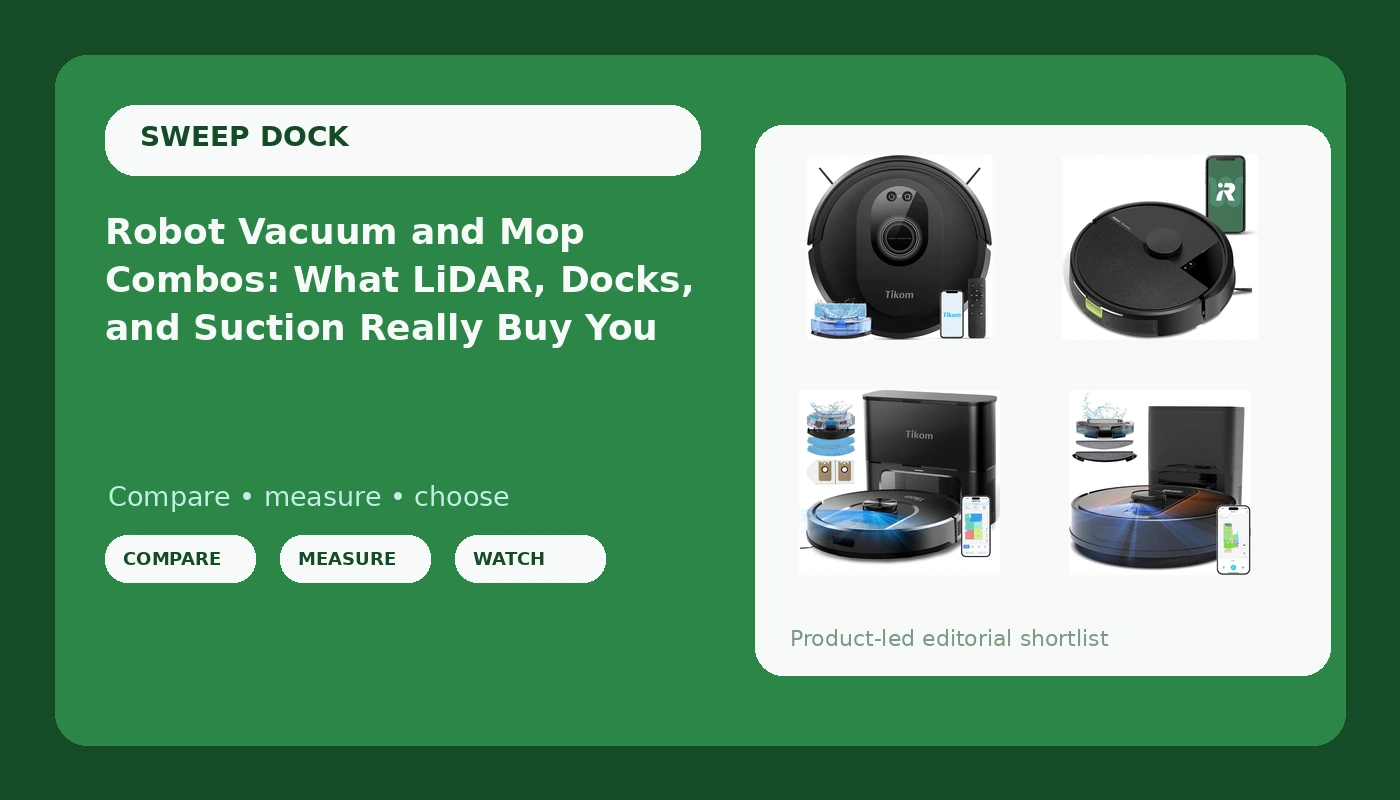
A robot vacuum and mop is sold as one appliance that handles two chores. In practice it is a vacuum first and a mop second, and the vacuum half is what decides whether you like the thing or leave it parked in a corner. The real gap between a budget combo and a self-emptying model is not the suction number on the box. It is navigation, dock behavior, and how much of the job you still do by hand. This explainer walks through four currently listed models, what each one is built to do, and which tier makes sense for hardwood, low-pile carpet, pet hair, and the phone cord you keep forgetting to pick up.
Related: LiDAR vs Random Navigation: Why Your Robot Keeps Getting Stuck →
Quick answer
Buy the navigation, not the suction number. A mapped robot that can find its dock and respect no-go zones will cover more floor in a week than a stronger random-navigation unit that spends its runtime re-covering one corner. If you want the fewest weekly chores, a self-emptying model with LiDAR mapping is the tier that changes your routine. If you want the lowest entry cost and you accept emptying a bin and untangling a cord, a budget combo still handles hardwood and low-pile carpet well.
Four useful options
| Model | Best fit | What stands out |
|---|---|---|
| Tikom Robot Vacuum and Mop Combo (G8000 Max) | Lowest-cost way into a combo | 5000Pa suction rating, 150-minute max runtime, app plus remote plus voice control |
| iRobot Roomba 105 Vac | Vacuuming with almost no setup or app learning curve | LiDAR navigation, cleans in neat rows, self-charging |
| Tikom Robot Vacuum and Mop with Self-Emptying Base | Emptying the bin less often | Vacuum and mop combo paired with a dock that collects debris |
| Robot Vacuum and Mop with Mapping (6000Pa, LiDAR) | Mapping plus the longest hands-free interval | 6000Pa rating, LiDAR navigation, Alexa and app control, stated 90-day hands-free cleaning |
Budget combo: Tikom Robot Vacuum and Mop Combo (G8000 Max)
The trade-off is what the listing does not claim. There is no LiDAR mapping named here, so plan on the classic budget-combo experience: the robot needs a reasonably clear floor, it may re-cover the same spot, and you will want to be home while it runs. In exchange you get the lowest cost of entry, a stated 150-minute ceiling that covers a lot of square footage, and a remote for the times the app is more effort than walking over and picking the thing up.
Brand-name simplicity: iRobot Roomba 105 Vac
Two things to be clear about before you buy this one. It is not a mop, so footprints and sticky kitchen spots are still your job. It also does not list a self-emptying base, so the bin is a weekly or biweekly chore depending on how much hair your house produces. What you get instead is the navigation layer most budget combos skip, and a brand ecosystem that people choose specifically because they never want to think about the robot again.
Self-emptying upgrade: Tikom Robot Vacuum and Mop with Self-Emptying Base
Self-emptying is a convenience, not a permanent vacation from maintenance. The dock still needs bags or a canister emptied, and the robot still has a filter that clogs faster in a heavy-shedding house. The listing here also does not name a suction rating or a navigation system, so treat this as the middle rung: you are paying for the dock and the combo format, not for a spec sheet headline. If the dock is the part of robot ownership that annoys you most, this is the sensible step up.
Mapping and hands-free: Robot Vacuum and Mop with Mapping, 6000Pa LiDAR
The 90-day figure describes how long the dock can hold debris, not how long you can ignore the machine. Filters, brushes, and the mop pad still need attention on their own schedule, and a husky or lab will shorten that interval in practice. What this model buys you is the layer that removes babysitting: a map, defined no-go zones, and a robot that knows where it is instead of discovering your floor by collision.
Prices and availability change. Confirm the current price, stock, and included accessories on the retailer page before buying.
Why navigation matters more than suction
Suction is the easiest number to market and the least useful one to shop by. A robot with a strong rating and no idea where it is will spend a chunk of its runtime rediscovering the same hallway, bumping the same chair leg, and skipping the room behind a closed door it cannot reason about. A robot with a map plans a route, covers each area once, and returns to the dock when it is done.
That difference shows up in three places. First, coverage: mapped robots clean in rows, so a room gets one pass rather than three partial ones. Second, control: mapping is what makes no-go zones possible, which is how you fence off the dog bowls, the cable nest behind the TV stand, and the rug the robot likes to eat. Third, dock behavior: a robot that knows its position can navigate home from the back bedroom instead of dying in a doorway at 20 percent battery.
None of that makes a mapped robot a deep cleaner. It makes it a lower-maintenance one, which is the whole reason to own a robot vacuum in the first place.
What self-emptying and mopping actually do
Self-emptying docks take the bin out of your daily routine. The robot docks, the base pulls the contents into a bag or canister, and you deal with it every few weeks instead of every few days. The catch is that the dock is a second appliance with its own consumables, and a clogged dock is a worse failure than a full bin because the robot may keep running with nowhere for the dirt to go.
Robot mopping is light maintenance. It lifts everyday dust and footprints off sealed hardwood and tile, which is genuinely useful if you run it a few times a week. It does not scrub dried-on food, and it does not replace a real mop for a sticky kitchen spill. Treat the mop function as a maintenance wipe and you will never be disappointed by it.
Five steps to pick one:
- Decide whether you need mopping at all, because a vacuum-only model often costs less for the same navigation.
- Check whether the listing names LiDAR or mapping, and if it does not, assume random navigation and plan to be home.
- Count your floor types: sealed hardwood, tile, and low-pile carpet are easy; thick pile and loose rugs are where robots struggle.
- Decide how often you are willing to empty a bin, and let that answer decide whether you need a self-emptying dock.
- Measure your charging spot, since a self-emptying base needs more clearance than a plain charging puck.
Before you buy: practical checks
- Clear phone cords, charging cables, and loose rug edges before the first run. Tangles are the most common reason a robot stops mid-job.
- Set a schedule that matches your floor traffic, since running the same room daily beats one long weekend session.
- Confirm what the listing actually names. A missing navigation or suction claim is information, not an oversight.
- Budget for consumables: filters, brushes, mop pads, and dock bags if the model uses them.
- Expect the first week to be an experiment while you learn which spots need a no-go zone.
Which option should you choose?
Choose the Tikom Robot Vacuum and Mop Combo (G8000 Max) when you want the lowest-cost way to vacuum and mop, you have mostly hard floor and low-pile carpet, and you are fine being home while it runs. Choose the iRobot Roomba 105 Vac when you want reliable LiDAR navigation and neat-row cleaning without a mop or a self-emptying base, and you value a setup you never have to think about. Choose the Tikom Robot Vacuum and Mop with Self-Emptying Base when the bin is your least favorite chore and you want the combo format with a dock. Choose the 6000Pa LiDAR self-emptying model when you want mapping, no-go zones, voice control, and the longest stated hands-free interval in this group.
The caveat is that none of these listings promises deep cleaning or a permanent end to maintenance. A robot vacuum is a maintenance tool that keeps a floor presentable between real vacuum sessions, and the feature that determines how well it does that is navigation, followed by the dock.
The bottom line
If you are shopping this group, the honest split is between paying for navigation and paying for convenience. The budget Tikom gets you a vacuum and mop combo at the lowest cost, with the understanding that you will babysit it. The Roomba 105 gives you LiDAR navigation and row cleaning in a vacuum-only body. The two self-emptying models trade more money for fewer trips to the trash can, and the 6000Pa LiDAR model adds the mapping and no-go zones that make the biggest practical difference day to day. Pick the tier that matches how much of the work you are willing to keep doing yourself.