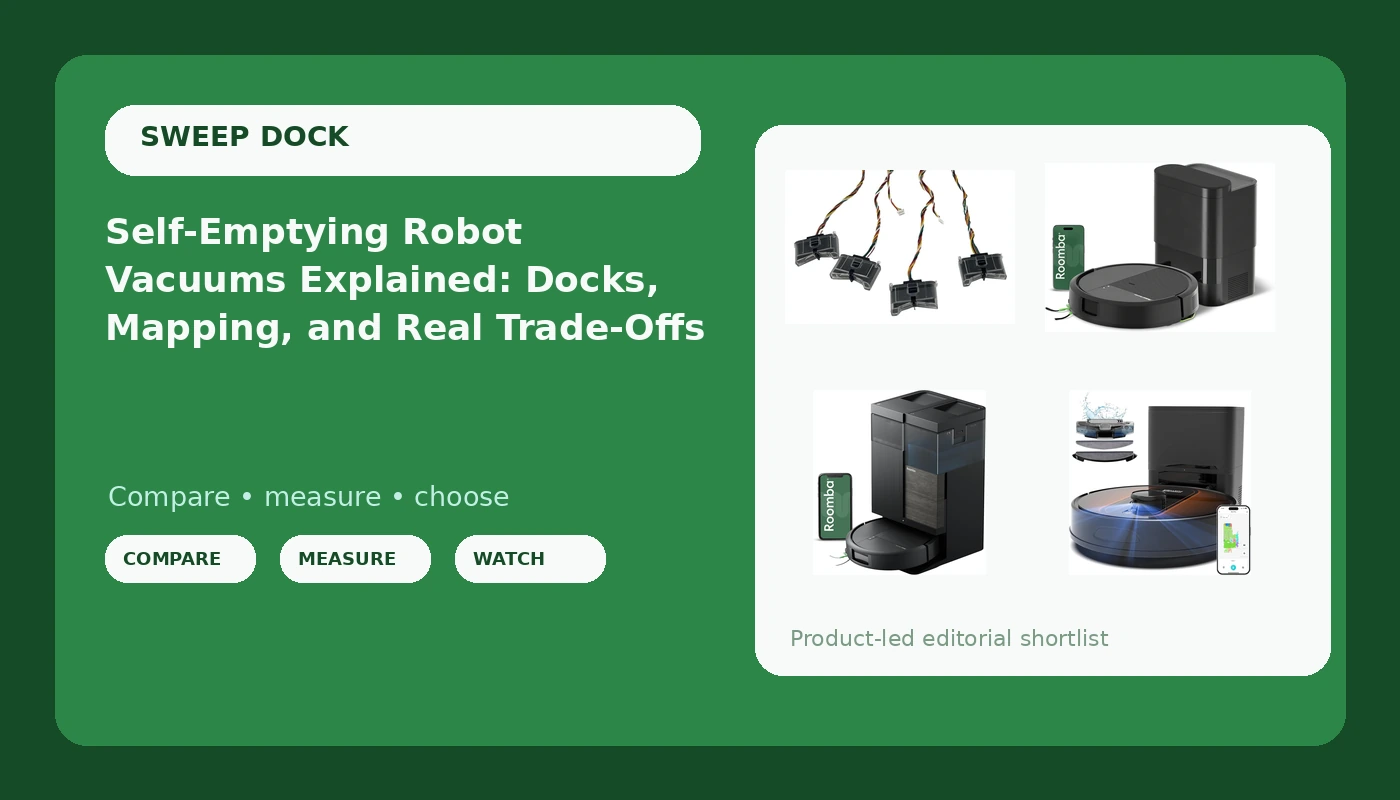
Robot vacuums have quietly split into two very different products. On one side are the basic bots that bump their way around a room and need a small bin emptied every day or two. On the other side is the self-emptying robot vacuum, which parks itself on a dock that pulls debris out of the bin and holds weeks of it in a bag. That second category is where most of the buying questions land, usually phrased as "is the dock actually worth it?" This guide is about what a self-emptying robot vacuum really does for a household, what the specs on the box mean once the thing is running on your floor, and how to choose between four very different pieces of hardware: three robots at different points on the price ladder, plus one replacement part that keeps an older vacuum alive.
Related: LiDAR vs Random Navigation: Why the Map Matters More Than Suction →
Quick answer
Self-emptying means the dock pulls debris out of the robot's bin into a bag or container inside the base, so you empty the dock every few weeks instead of the robot every day. It is not hands-free. Filters, brushes, mops, and the dock's own bag still need attention. LiDAR navigation, which builds a map with a spinning laser, is the feature that decides whether you babysit the robot or schedule it and walk away. Suction numbers printed on a box matter less than whether the bot can find the dock from the far bedroom, avoid the phone cord it already hit once, and finish a floor on a single charge.
Four useful options
| Model | Best fit | What stands out |
|---|---|---|
| iRobot Roomba 115X Combo Robot Vacuum & Mop with AutoEmpty Dock | A first self-emptying setup on a tighter budget | AutoEmpty dock listed at 90 days, LiDAR navigation, and a carpet-avoidance behavior for mopping |
| iRobot Roomba Plus 575X Combo Robot + AutoWash Dock | Households that want the dock to handle the mop pad too | AutoWash dock with heated wash and heated dry, auto-empty up to 90 days |
| Robot Vacuum and Mop with Mapping, 6000Pa LiDAR Self Emptying | Mid-price shoppers who want mapping and a self-empty base | 6000Pa rating, LiDAR mapping, Alexa and app control, 90 days hands-free cleaning claim |
| Replacement Cliff Drop Infrared Side Sensors for Shark IQ Robot Vacuums | Reviving an existing Shark IQ that stops at drop-offs | Side sensor module listed against a long run of Shark IQ model numbers |
The value combo: iRobot Roomba 115X Combo Robot Vacuum & Mop with AutoEmpty Dock
The interesting part here is not the suction number, it is the combination of a self-empty dock and LiDAR at the bottom of the brand's combo range. Carpet avoidance matters more than people expect, because a mop pad dragged across low-pile carpet is how you end up with damp patches and a musty pad. What the listing does not tell you is how large the dock's bag is or how loud the self-empty cycle runs, and those two details decide whether the dock feels like a convenience or another appliance you have to think about.
The self-washing dock: iRobot Roomba Plus 575X Combo Robot + AutoWash Dock
A heated wash and dry cycle is the feature that separates this from every robot that leaves a wet pad sitting in a tray. If you have ever pulled a damp, sour-smelling mop pad off a dock after two days, you know why that matters. The honest trade-off is complexity: more moving parts in the dock means more places for hair, dirty water, and debris to collect, and more maintenance steps you cannot skip. Relative claims like "3.2X" and "2X" come from the listing and are comparisons against other products, not measured figures you can check on your own floor.
The mapping mid-ranger: Robot Vacuum and Mop with Mapping, 6000Pa LiDAR Self Emptying
Here is the spec-sheet reality check. The 6000Pa number is far below the 15,000Pa printed on the Roomba listing, and in practice suction ratings between brands are not measured the same way, so they do not compare cleanly across a table. What does compare is the feature set: LiDAR plus a self-empty base plus app-based mapping is the trio that lets you draw no-go zones around dog bowls and the cable pile behind the TV. Mapping is what turns a robot from a toy you chase around into a tool you schedule. If the app is the only control surface you get, read the listing's compatibility notes carefully before buying.
The replacement part: Replacement Cliff Drop Infrared Side Sensors for Shark IQ Robot Vacuums
Not everyone shopping this category needs a new robot. If a Shark IQ is already in the house and it has started behaving strangely around stairs, thresholds, or a dark rug edge, the cliff sensor is one of the first components to suspect. Match the model number on your unit against the list on the listing exactly, because these modules are not universal across the lineup. This is the unglamorous side of robot ownership, and it is worth saying plainly: the sensor that keeps a bot off a staircase is a safety part, not an upgrade.
Prices and availability may change. Product images, names, and retailer links are matched to verified listings. No current price, rating, stock status, or measured result is stated here without current evidence.
What self-emptying actually saves you
The dock is the single biggest convenience upgrade in this category, and it is also the most over-promised. What it does is simple: when the robot returns to charge, the base pulls the contents of the onboard bin into a bag or sealed container. How long that container lasts depends on how much debris your floors produce, which is why a "90 days" figure is a claim about conditions, not a guarantee for your house. Two heavy-shedding dogs in a carpeted house will fill a dock faster than one cat in an apartment.
What it does not do is remove maintenance. The robot's filter still clogs and needs rinsing or replacing. Brushes still wrap with hair and need cutting free. The dock's bag still fills, the intake still gets blocked by a sock, and any self-wash system still has a dirty water tank to pour out. Think of a self-emptying dock as removing the daily two-minute chore and replacing it with a monthly fifteen-minute one. For most people that is a genuinely good trade. It just is not the same thing as never thinking about the robot again.
There is also a noise cost. The self-empty cycle is a short, loud burst of suction, often louder than the robot running normally. If the dock lives next to a bedroom wall or under a desk, that burst is part of your day now, and no spec sheet lists it.
Why LiDAR changes how much you babysit a robot
Navigation is the spec that decides whether you like your robot. Suction cleans the strip of floor the robot actually reaches. Navigation decides how much floor it reaches, how many times it covers the same corner, and whether it gets home on its own.
A LiDAR robot spins a laser to measure distance and build a map of the room. That map is what lets the app offer no-go zones and room-by-room schedules. It also lets the robot plan a route instead of wandering, which means fewer passes over the same spot and fewer collisions with the same chair leg. A robot without it relies on bumping into things and following walls, which is why those units tend to re-cover one corner three times and skip the hallway.
The map is also what makes the dock-finding question mostly disappear. A mapped robot knows where the base is. A random-navigation robot has to stumble onto it. If you plan to run the vacuum while you are at work, that difference is the whole purchase decision.
Here is a practical sequence for deciding, in order:
- Check whether the robot navigates with LiDAR or by bumping around. LiDAR first, everything else second.
- Confirm the dock empties the bin automatically, and note how long the listing claims that lasts.
- Look at how the mop is handled: does it lift, avoid carpet, or get washed and dried in the base?
- Check the app for no-go zones and room scheduling, since that is what you will actually use daily.
- Verify your exact model number if you are buying a replacement part rather than a robot.
Practical guidance before you buy
- Measure your real floor area, not your whole house. One charge covers a floor, not a floor plan, and thresholds between rooms eat runtime.
- Decide up front whether you are willing to be home for the first few runs. Random-navigation bots need supervision, and honest reviewers say so.
- Budget for consumables: bags, filters, brushes, and mop pads are recurring costs the listing does not include.
- Pick a dock location with clearance and a nearby outlet before the box arrives. Docks need space to be approached cleanly.
- Treat mopping as light maintenance. It handles dust and footprints, not dried-on spills, and the pad still needs cleaning either way.
Which option should you choose?
Choose the iRobot Roomba 115X Combo Robot Vacuum & Mop with AutoEmpty Dock when you want a self-emptying dock and LiDAR navigation at the lowest position in this group and the carpet-avoidance behavior matters. Choose the iRobot Roomba Plus 575X Combo Robot + AutoWash Dock when the mop pad itself is the chore you hate and you want the dock to wash and dry it with heat. Choose the Robot Vacuum and Mop with Mapping, 6000Pa LiDAR Self Emptying when you want mapped LiDAR cleaning, app and Alexa control, and a self-empty base at a mid-tier position. Choose the Replacement Cliff Drop Infrared Side Sensors when you already own one of the listed Shark IQ models and it has started misbehaving near edges.
One caveat applies to all of it. Every suction figure, coverage claim, and maintenance interval here comes from the product listings, not from a measured test. Relative multipliers in particular are marketing comparisons. Check the current listing, confirm the model matches your situation, and expect the daily reality to involve a bin, a filter, and a brush roll no matter which dock sits in the corner.
The bottom line
A self-emptying robot vacuum is a maintenance tool, not a replacement for your real vacuum. The dock removes the most repetitive chore, the LiDAR map removes the most common frustration, and everything else is a spectrum of trade-offs. The Roomba 115X and the mid-priced LiDAR mapping model both put mapping and a self-empty base within reach, the Roomba Plus 575X adds a dock that handles the mop pad for households where that is the real pain point, and the Shark IQ sensor set is the sensible answer when the robot you already own just needs a part. Buy the navigation first, the dock second, and the suction number last.