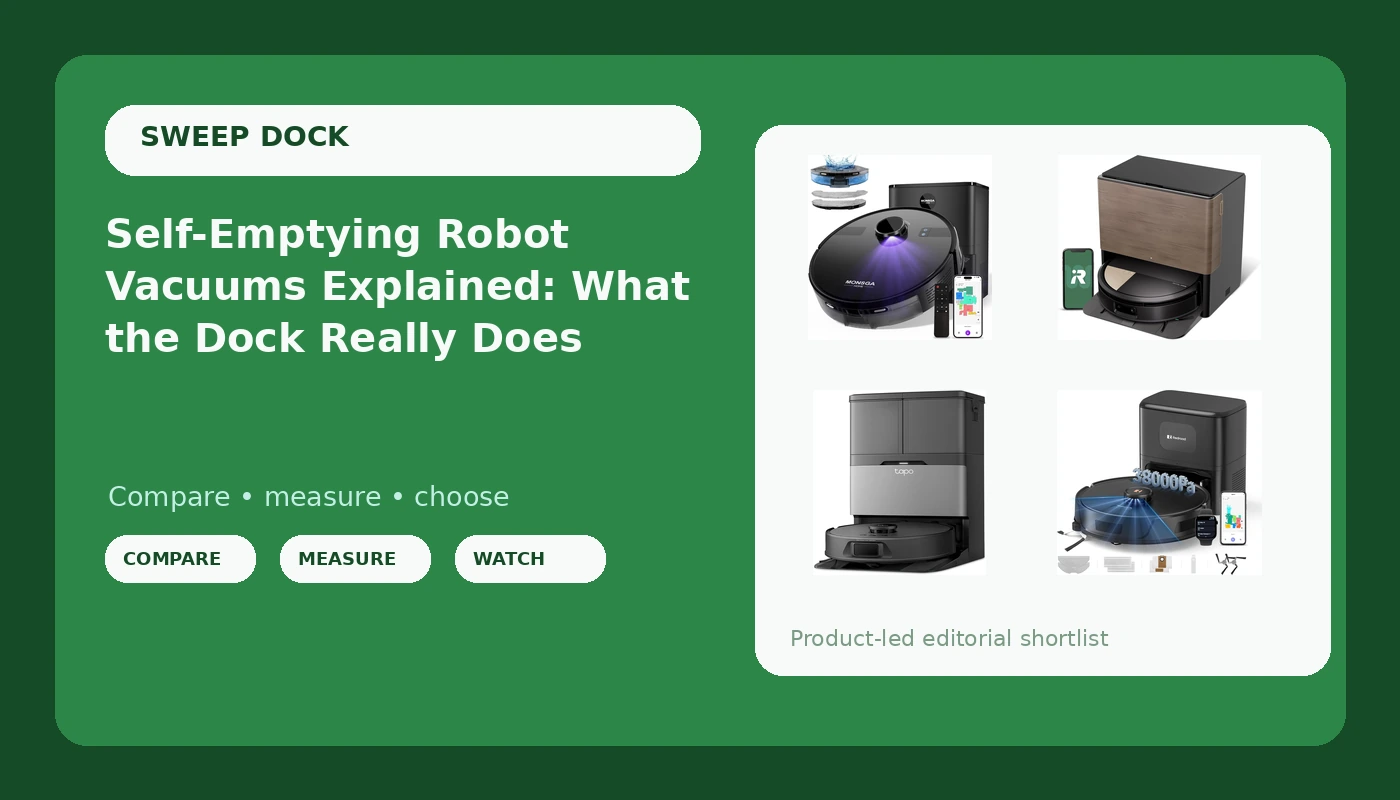
A self-emptying robot vacuum is the feature everyone asks about and the one most often misunderstood. The dock pulls debris out of the robot's small onboard bin and stores it in a bigger bag or container, so you stop emptying a bin every single run. What it does not do is remove maintenance entirely, and it does not make a badly navigating robot any less annoying. If you are shopping in the roughly $200 to $1,300 band and trying to figure out what the extra money buys, the honest answer is navigation quality, dock capacity, and how much babysitting you are signing up for. Suction numbers sell robots. Navigation and dock design are what decide whether you actually use the thing.
The four models below sit at four different points on that curve, from a budget LiDAR combo with a 3.5L station to a premium Roomba with a dock that washes and dries its own mop. Here is what each listing actually claims, and where the trade-offs land.
Related: Robot Vacuum Navigation Explained: LiDAR vs Random Bumping →
Quick answer
Self-emptying is worth paying for if you run the robot daily and hate touching a bin. It is not worth paying for if the robot cannot map your floor, because you will still be rescuing it from the same phone cord twice a week. LiDAR navigation and a real self-emptying dock are the two features that change daily life. Mop washing, hot air drying, and obstacle avoidance are the features that change the price. Match the robot to your floor area and your tolerance for maintenance, then let the price follow.
Four useful options
| Model | Best fit | What stands out |
|---|---|---|
| MONSGA Robot Vacuum and Mop Combo | First self-emptying dock on a budget | 6,000Pa claimed suction, LiDAR navigation, 3.5L self-emptying station, claimed 180-minute runtime |
| Tapo RV50 Pro Omni | Buyers already inside the Tapo smart home ecosystem | Robot vacuum and mop with a self-emptying dock from a known smart home brand |
| 38,000Pa Robot Vacuum R11Max | High claimed suction and long dock intervals | 38,000Pa claimed suction, 120-day self-emptying claim, LiDAR navigation, 5G and 2.4G WiFi app control |
| iRobot Roomba 705X | Premium buyers who want the Roomba ecosystem and a self-maintaining mop | 175x more suction claim, extending self-cleaning roller mop, multifunction dock, 75-day self-emptying, hot wash and dry, AI obstacle avoidance |
The budget pick: MONSGA Robot Vacuum and Mop Combo, 6000Pa Robotic Vacuum with 3.5L Self Emptying Station, Lidar Navigation Robot Vacuum Cleaner, 180mins Runtime, APP/Remote/Voice Control, for Hard Floors and Carpets
A 3.5L station is a genuinely useful size, and LiDAR at this price is the part that matters most. What you give up at the budget end is usually obstacle avoidance sophistication and dock features. Budget docks tend to be simple: they empty the bin, and that is it. There is no mop washing, no drying, and typically no bagless base that cleans itself. Plan on pulling cords and socks off the floor before a run, and plan on checking the dock's filter on a schedule rather than trusting a long interval claim.
The known-brand middle: Tapo RV50 Pro Omni Robot Vacuum and Mop with Self-Emptying Dock
The case for this one is not a spec sheet, it is ecosystem. If your plugs, cameras, and bulbs already live in one app, adding a robot to the same app removes a whole category of friction, and friction is the reason people stop using robot vacuums. The trade-off is that the model name tells you almost nothing about suction, runtime, or navigation type. Read the current listing carefully for those numbers before you commit, and treat the dock capacity and mop behavior as things you verify on the product page rather than assume from the badge.
The high-suction, long-interval pick: 38,000Pa Robot Vacuum Robot Vacuum Mop,Vacuum Robot 120Day Self Emptying,Lidar Navigation,5G 2.4GWiFi APP Aspirateur Robot,Self-Charging Robot Vacuums for Pet,Floor,Carpet R11Max Black
Two things deserve a careful read here. First, Pa figures are measured at the inlet under specific conditions, and they do not scale linearly into real cleaning on carpet. A 38,000Pa claim does not mean roughly six times the pickup of a 6,000Pa claim. Second, a 120-day self-emptying claim assumes a certain amount of daily debris. In a two-dog house, you will hit the bag or bin limit well before 120 days, and that is normal rather than a defect. The claim describes dock capacity under lab conditions, not your hallway in spring.
The premium pick: iRobot Roomba 705X Robot Vacuum & Mop Combo, 175x More Suction, Extending Self-Cleaning Roller Mop, Multifunction Dock, 75 Day Self-Emptying, Hot Wash/Dry, AI Obstacle Avoidance, Ideal for Pet Hair
This is the one that answers the biggest complaint about robot mopping, which is the pad. A mop pad you have to rinse by hand after every run is worse than no mop at all. Washing and drying it at the dock removes that chore, and AI obstacle avoidance is the other feature that quietly matters, because it is what lets a robot run while you are not home. The "175x more suction" line is a relative claim against an older Roomba, not a Pa measurement, so do not read it as a head-to-head number against the others here. You are paying for polish, a self-maintaining mop, and a support ecosystem, not for double the cleaning.
Prices and availability may change. Product images, names, and retailer links are matched to verified listings. No current price, rating, stock status, or measured result is stated here without current evidence.
What a self-emptying dock actually does
The dock pulls debris out of the robot's onboard bin and into a bag or sealed container. That is the whole trick, and it is a good one, because the onboard bin on any robot is small and fills fast in a pet household. What the dock does not do is maintain itself forever. Bags need replacing or a bagless base needs emptying, the dock's own filter needs attention, and the charging contacts and ramp need wiping when hair builds up. Think of the interval claim as how long the dock can hold debris, not as how long you can ignore the machine.
Why LiDAR navigation matters more than suction
A robot without LiDAR navigates by bumping into things and hoping. It re-covers the same corner, skips the hallway, and gets trapped in the same spot every run. A robot with LiDAR builds a map, which is what makes no-go zones possible and what lets it return to the dock from the far bedroom instead of dying under the sofa table. Suction is a number on a box. Navigation is the difference between a tool you schedule and a toy you chase around the house.
Here is the decision order that keeps you from overpaying:
- Measure the floor area the robot will actually cover on one charge, not the square footage of the whole house.
- Decide whether you need a map and no-go zones. If you have pet bowls or a cable nest, you do.
- Check the dock footprint and where it will physically sit, because a multifunction dock needs clearance on three sides.
- Set your mop expectation at light maintenance: footprints and dust, not dried-on stains.
- Budget for consumables, meaning bags, filters, and brushes, over the first year of ownership.
Before you buy: practical checks
- Pick up phone cords, charging cables, and socks before a scheduled run. No consumer robot reliably solves a loose cord.
- Set rug transitions and thresholds up as barriers in the app if the robot tends to eat a specific rug edge.
- Run a robot while you are home for the first week so you learn where it struggles, then schedule it for when you are out.
- Expect to empty a dock more often than its headline interval in a shedding household, and treat that as normal.
- Verify the current listing for suction, runtime, and navigation type before buying, especially on models whose names carry few specifications.
Which option should you choose?
Choose the MONSGA Robot Vacuum and Mop Combo, 6000Pa Robotic Vacuum with 3.5L Self Emptying Station, Lidar Navigation Robot Vacuum Cleaner, 180mins Runtime, APP/Remote/Voice Control, for Hard Floors and Carpets when you want LiDAR and a large-capacity self-emptying station at the lowest entry point in this group. Choose the Tapo RV50 Pro Omni Robot Vacuum and Mop with Self-Emptying Dock when you already run Tapo devices and want the robot in the same app. Choose the 38,000Pa Robot Vacuum Robot Vacuum Mop,Vacuum Robot 120Day Self Emptying,Lidar Navigation,5G 2.4GWiFi APP Aspirateur Robot,Self-Charging Robot Vacuums for Pet,Floor,Carpet R11Max Black when the highest claimed suction and the longest claimed dock interval are what you are after. Choose the iRobot Roomba 705X Robot Vacuum & Mop Combo, 175x More Suction, Extending Self-Cleaning Roller Mop, Multifunction Dock, 75 Day Self-Emptying, Hot Wash/Dry, AI Obstacle Avoidance, Ideal for Pet Hair when a self-washing, self-drying mop and AI obstacle avoidance justify the premium to you.
The caveat that applies to all four: suction, runtime, and self-emptying intervals are manufacturer claims until your floor proves otherwise, and the only way to know how a dock behaves in a shedding household is to read current owner feedback on the listing and watch how the robot handles your own rug edges.
The bottom line
Self-emptying is the feature that keeps a robot vacuum in daily rotation, because the chore that kills the habit is the bin. But the dock only solves half the problem. LiDAR navigation solves the other half, and it is the spec worth prioritizing over a bigger suction number. If you want the lowest-cost way into a mapped robot with a real self-emptying station, the MONSGA listing is the sensible starting point. If ecosystem fit matters more than specs, the Tapo RV50 Pro Omni is the tidy answer. If you want the largest claimed suction and the longest claimed dock interval in this group, the R11Max is the one to read closely. And if you want the mop maintained at the dock rather than in your sink, the Roomba 705X is what that convenience costs. Check current Amazon price on each listing before you decide, because these numbers move.